Is there a way to check a PowerPoint for AI-generated content?
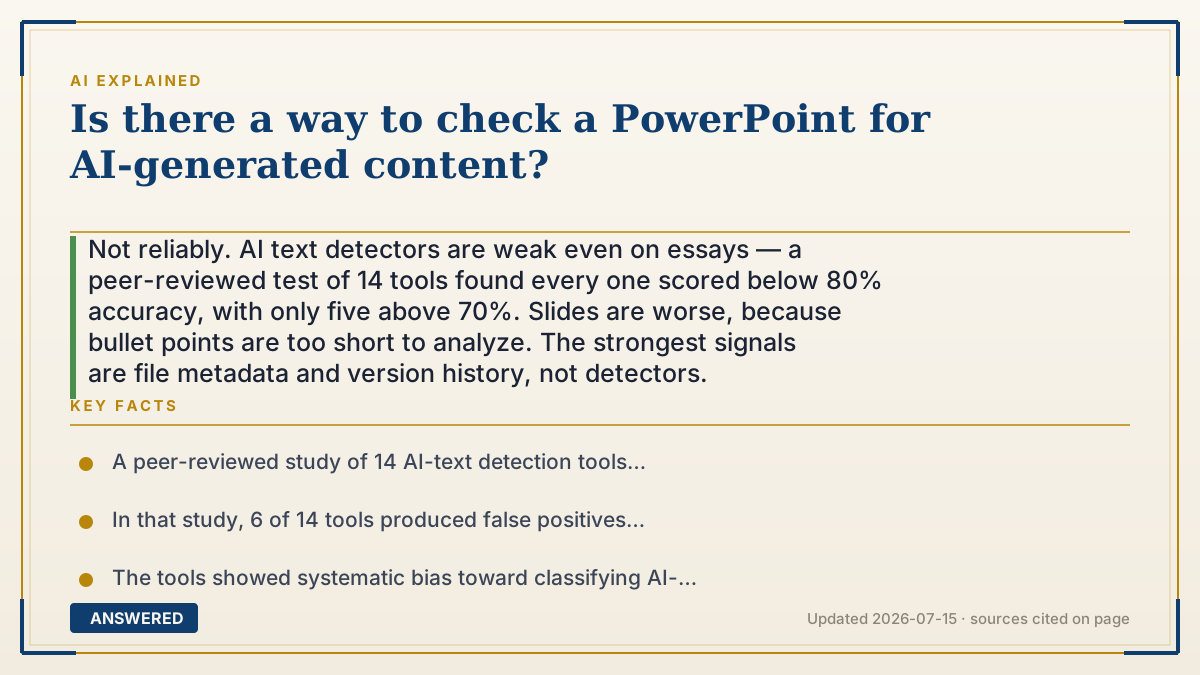
Not reliably. AI text detectors are weak even on essays — a peer-reviewed test of 14 tools found every one scored below 80% accuracy, with only five above 70%. Slides are worse, because bullet points are too short to analyze. The strongest signals are file metadata and version history, not detectors.
Why — the first-principles explanation
AI text detectors work by measuring statistical predictability. Language models pick likely words, so their output has unusually low surprise — low perplexity, in the jargon — and unusually even sentence-to-sentence variation. A detector looks for text that is too smooth to be human. This is already shaky on a 1,000-word essay. On a slide it collapses, and the reason is simple: there is not enough text. A bullet reading "Q3 revenue up 14% YoY" contains no statistical signature at all. Detectors need hundreds of words to say anything, and slides are built from fragments.
The published evidence is blunt about the limits even under favorable conditions. Weber-Wulff and colleagues tested 14 detection tools — 12 public plus Turnitin and PlagiarismCheck — in the International Journal for Educational Integrity (2023) and concluded the tools are neither accurate nor reliable. Every tool scored below 80% accuracy; only five exceeded 70%. Six of 14 produced false positives, 13 of 14 produced false negatives, and accuracy fell further on paraphrased or machine-translated text. The bias runs toward calling AI output human — which means a "human" verdict tells you almost nothing, and an "AI" verdict on short text is quite likely wrong.
This is why accusing someone based on a detector score is genuinely dangerous. If a tool has even a 3% false-positive rate and you scan 200 student decks, you have manufactured roughly six accusations against innocent people. False positives are known to fall disproportionately on non-native English writers, whose prose is often simpler and more predictable — exactly what the detector reads as machine-like.
There is a better place to look, and it has nothing to do with AI: the file itself. A .pptx is a ZIP archive containing XML, and it carries metadata — author, creation and modification timestamps, total editing time, revision count, and the application that produced it. A deck with 4 minutes of total editing time and one revision was not written over a weekend. That is evidence about process, not about AI, which is why it is more useful. Cloud version history in Google Slides or Microsoft 365 is even better: it shows whether content grew gradually or arrived in one paste. Note that images are a separate track — C2PA Content Credentials are embedded by some generators, but they survive poorly once an image is pasted into a slide.
An example that makes it click
Imagine trying to tell whether someone wrote a grocery list themselves. "Milk. Eggs. Bread." There's nothing there to analyze — no style, no sentence structure, no fingerprint. Any confident claim about who wrote that list is a guess wearing a lab coat.
But check the notepad it was written on and you learn a lot. Is the ink pressed in over time, or is it one clean sheet? Was it in the drawer yesterday? A slide deck works the same way. The bullets tell you nothing — but the file says it was created at 11:52 pm, edited for four minutes, and never revised. That's not proof of AI. It is proof that nobody spent a weekend on it, which is usually the question you actually care about.
How to do it
- Do not start with a detector. On slide-length text, its output is close to noise and can generate false accusations.
- Check file metadata first. In PowerPoint, go to File > Info > Properties > Advanced Properties to see author, created/modified times, total editing time, revision number, and the creating application.
- Inspect the raw file if you need more. Copy the .pptx, rename the extension to .zip, and unzip it — docProps/app.xml and docProps/core.xml hold the timestamps and editing statistics.
- Look for the giveaways: total editing time of a few minutes, revision count of 1, an author name that isn't the submitter, or a creating application like an AI deck generator (Gamma, Tome, Beautiful.ai).
- Check version history where available. In Google Slides use File > Version history; in Microsoft 365 use File > Info > Version History. Content appearing in one large paste versus growing over sessions is the clearest signal you will get.
- Ask about process, not output. Request the outline, sources, or an earlier draft, or ask the person to explain a specific slide. Someone who made the deck can do this instantly.
- If you must run a detector, paste the speaker notes rather than the bullets — notes are longer prose and are the only part with enough text to analyze at all.
- Treat any detector result as a prompt to ask a question, never as evidence. Never accuse on a score alone.
- For images, check for C2PA Content Credentials via the Content Credentials verify tool, understanding that metadata is commonly stripped when images are pasted into slides.
Key facts
- A peer-reviewed study of 14 AI-text detection tools (Weber-Wulff et al., International Journal for Educational Integrity, 2023) found every tool scored below 80% accuracy, with only five above 70%.
- In that study, 6 of 14 tools produced false positives and 13 of 14 produced false negatives; accuracy degraded further on paraphrased and machine-translated text.
- The tools showed systematic bias toward classifying AI-generated output as human-written, making 'human' verdicts especially uninformative.
- Detectors generally require several hundred words of continuous prose; typical slide bullets are far too short to produce a meaningful signal.
- A .pptx file is a ZIP archive whose docProps/app.xml and core.xml store total editing time, revision count, author, and the creating application.
- Google Slides and Microsoft 365 both retain version history showing whether content accumulated gradually or was pasted in at once.
▶ The 60-second explainer (script)
Can you check a PowerPoint for AI? Not reliably — and here's the evidence, not just my opinion. A peer-reviewed study tested fourteen detection tools, including Turnitin. Every single one scored below eighty percent accuracy. Only five got past seventy. The conclusion in the paper was blunt: neither accurate nor reliable. And that's on essays. Slides are worse. Here's why. Detectors work by measuring predictability — AI picks likely words, so its text is unusually smooth. To measure that you need hundreds of words of flowing prose. A bullet that says "Q3 revenue up fourteen percent" has no signature at all. There's nothing to analyze. So a detector on slides is basically a coin flip with a confidence score attached. And that's dangerous. Even a three percent false positive rate, across two hundred decks, manufactures six accusations against innocent people — disproportionately non-native English speakers, whose simpler prose reads as machine-like. So look somewhere better: the file itself. A pptx is just a ZIP full of XML, and it records author, timestamps, revision count, and total editing time. A deck with four minutes of editing time and one revision was not built over a weekend. That's not proof of AI — it's proof about process, which is the thing you actually care about. Even better: version history in Google Slides or Microsoft 365. Did the content grow over sessions, or land in one paste? And the oldest trick still works. Ask them to explain slide seven. Someone who made it just can.
What authoritative sources say
People also ask
Does Turnitin detect AI in PowerPoint?
Turnitin's AI detection targets long-form prose and was among the tools that scored under 80% accuracy in peer-reviewed testing. Slide bullets are far too short for it to assess meaningfully.
What's the most reliable signal?
File metadata and version history. Total editing time, revision count, the creating application, and whether content grew gradually or arrived in one paste tell you about process — which is more useful and more verifiable than any detector score.
Can I accuse a student based on a detector result?
No. With false-positive rates that are nonzero and known to skew against non-native English writers, a score is not evidence. Use it at most as a reason to ask questions about the work.
How do I read PowerPoint metadata?
File > Info > Properties > Advanced Properties inside PowerPoint. For full detail, copy the file, rename .pptx to .zip, unzip it, and read docProps/app.xml and docProps/core.xml.
What about AI-generated images in the deck?
Some generators embed C2PA Content Credentials that you can check with the Content Credentials verify tool. However, this metadata is frequently stripped when an image is screenshotted or pasted into a slide, so absence proves nothing.