How does Meta AI turn an image into a video?
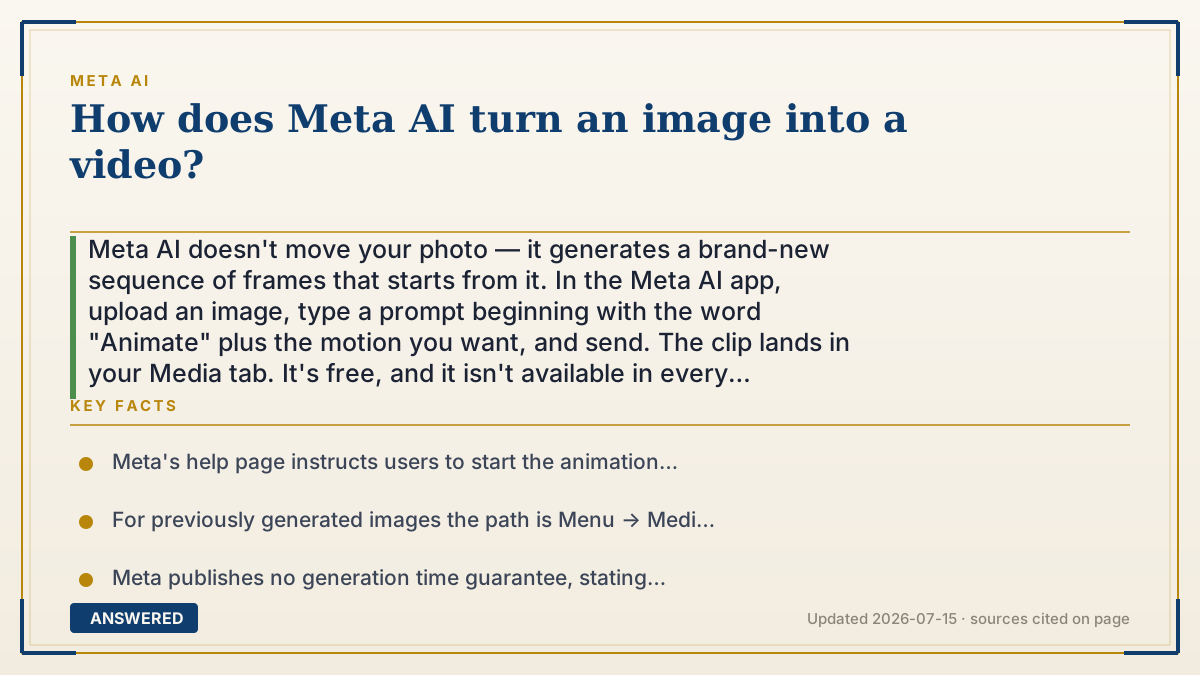
Meta AI doesn't move your photo — it generates a brand-new sequence of frames that starts from it. In the Meta AI app, upload an image, type a prompt beginning with the word "Animate" plus the motion you want, and send. The clip lands in your Media tab. It's free, and it isn't available in every country.
Why — the first-principles explanation
The mental model most people have is wrong, and fixing it explains everything else. You probably imagine the software cutting your photo into layers and sliding them around, like a puppet. That's not what happens. Meta AI feeds your image into a video generation model that produces an entirely new stack of frames from scratch, using your picture as the anchor for frame one and your text prompt as the instruction for what should change. Every subsequent frame is invented. Nothing in the output is literally your original pixels.
That model learned by watching an enormous amount of video. From that it absorbed statistical habits about how the world moves — hair drifts in wind, smoke rises, a camera pushing forward makes near objects grow faster than far ones. It has no physics engine and no 3D model of your scene. It's pattern-matching motion. This is exactly why the failure modes look the way they do: the model has never seen what's behind the objects in your photo, so when the camera moves and something occluded needs to appear, it guesses. Hands melt, background text turns to gibberish, a face subtly becomes someone else's. Those aren't bugs to be patched. They're the direct consequence of generating rather than moving.
It also explains why clips are short and why you wait. A video is just many images that must agree with each other. Five seconds at 16 frames per second is 80 full images, each of which has to be consistent with the last — same face, same shirt, same lighting. The compute cost scales with length, and consistency gets harder the further you get from the anchor frame. That's the reason no free tool hands you a two-minute clip, and why Meta's own help page won't promise a delivery time. It says only that "it may take some time for your video to be available."
One practical takeaway falls out of this: your prompt is the only steering wheel you have. Sending a photo with no instruction gets you a generic default drift. Describing the motion specifically — what moves, which direction the camera goes, how fast — is the difference between a usable clip and a smeary one. Meta's own guidance is blunt about it: start the prompt with "Animate" and be detailed.
An example that makes it click
Imagine you hand an artist a single photograph of your dog on the beach and say: "draw me the next 80 pictures of what happened." The artist never saw the real dog and never visited that beach. They've just looked at a million beach videos in their life, so they know roughly how a tail wags, how waves roll in, and how sand looks when a paw hits it. They draw 80 pictures. Flip through them fast and it's a video.
Now ask why the dog's back left paw looks wrong in frame 60. It's because the artist never saw that paw — it was hidden behind the dog's body in your photo. They invented it. That's not carelessness. There was nothing else they could do.
How to do it
- Open the Meta AI app (or go to meta.ai). Image-to-video isn't available in every country yet.
- To animate your own photo: tap Upload and select the image.
- Type a prompt that starts with the word "Animate" and describe the motion in detail — for example, "Animate: the camera slowly pushes in while her hair moves in the wind and the waves roll behind her."
- Send it. Meta AI generates the video. There's no guaranteed wait time — Meta says only that it may take some time to become available.
- To animate an image Meta AI generated earlier: tap Menu, then Media, then Creations. Select the image, tap Animate, and enter your prompt.
- Once the clip exists you can restyle it, extend it, add lip sync or a voiceover, or post it to the Vibes feed. Menu names shift between app versions.
Key facts
- Meta's help page instructs users to start the animation prompt with the word "Animate" and to be detailed about the motion wanted.
- For previously generated images the path is Menu → Media → Creations → select image → Animate.
- Meta publishes no generation time guarantee, stating only that "it may take some time for your video to be available" (as of 2026-07).
- Image-to-video is region-limited — Meta's help pages state the feature "is not yet available everywhere."
- Meta's help documentation does not disclose which model powers Meta AI video generation (as of 2026-07).
- Videos created this way can be restyled, extended, remixed, and given lip sync or voiceovers, and are shared through Meta's AI video feed called Vibes.
Meta's assistant inside WhatsApp, Instagram, Messenger, and the web.
▶ The 60-second explainer (script)
Meta AI turns an image into a video by generating brand-new frames — it does not move your photo around. Here's the actual mechanism. You give it a still image and a text prompt. A video generation model takes your picture as the anchor for frame one, then invents every frame after that, guided by your prompt. Nothing in the output is literally your original pixels. That model learned by watching a huge amount of video, so it absorbed habits about how things move — hair drifts, smoke rises, cameras create parallax. But it has no 3D model of your scene and no physics engine. It's pattern matching. And that explains the weirdness. When the camera moves and something hidden behind an object needs to appear, the model has never seen it. So it guesses. That's why hands melt and background text turns to gibberish. To actually do it: open the Meta AI app, tap Upload, pick your image, and type a prompt starting with the word Animate — Meta's own guidance says be detailed. Describe what moves and where the camera goes. Then send. Meta won't promise a wait time. It's free, but it isn't live in every country yet.
What authoritative sources say
People also ask
Is Meta AI image-to-video free?
Yes. As of 2026-07 animating images is free in the Meta AI app and on meta.ai. The main limit is geography — Meta states the feature is not yet available everywhere.
How long can the video be?
Meta's help pages don't publish a length limit for animated clips. In practice these are short-form clips measured in seconds, not minutes, because generation cost scales with frame count and consistency degrades the further you get from the anchor image.
Why does my animated video look distorted?
Because the model invents every frame after the first. It has no 3D understanding of your scene, so anything hidden in the original photo — a hand behind a back, text in the background — gets guessed rather than revealed. Detailed prompts help; they don't eliminate it.
Do I need a prompt, or can I just send the photo?
You can send without a prompt and get a default animation, but the prompt is your only real control. Meta's guidance says to start with the word "Animate" and be detailed about the motion you want.
Where do my animated videos go?
They appear in the Media section of the Meta AI app under Creations. You can also post them publicly to Vibes, Meta's AI video feed — but note that publicly posted vibes are governed by a separate removal control from your private chats and media.
The same question, asked other ways
- How do you animate an image with Meta AI?0/mo