How to turn off Gemini AI?
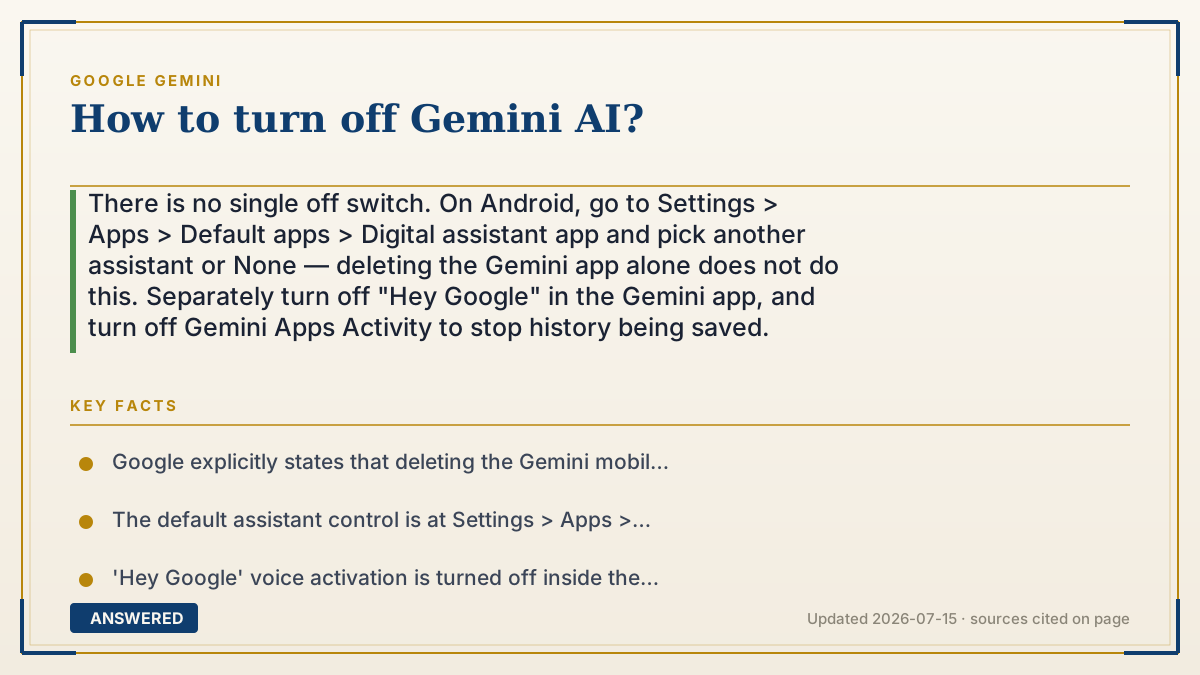
There is no single off switch. On Android, go to Settings > Apps > Default apps > Digital assistant app and pick another assistant or None — deleting the Gemini app alone does not do this. Separately turn off "Hey Google" in the Gemini app, and turn off Gemini Apps Activity to stop history being saved.
Why — the first-principles explanation
The reason this is frustrating is that "Gemini" is not one thing, so it has no one switch. It's a model family that Google plugged into several products at once, and each product owns its own toggle. When people say "turn off Gemini," they usually mean one of four different complaints, and the fix is different for each.
Complaint one: it hijacked my phone's assistant button. That's the default digital assistant setting in Android, and it lives in system settings — not in the Gemini app. This is the one that trips everybody up: Google states plainly that deleting the Gemini app doesn't remove Gemini as your device's default digital assistant. Uninstall it and the assistant slot can still point at Gemini. You have to change the slot itself.
Complaint two: it pops up when I talk. That's hotword detection — the "Hey Google" toggle inside the Gemini app's own settings, under "Talk to Gemini hands-free."
Complaint three: I don't want my conversations kept. That's Gemini Apps Activity, a separate privacy control in your Google account. Turning it off stops future chats being saved to your account, and you can delete past activity at the same time. Note what this does and doesn't do: it's about retention, not about whether Gemini exists.
Complaint four: it's inside Gmail and Docs. That's governed by smart features settings rather than the Gemini app at all — and if you're on a work or school account, an administrator may control it, not you.
One honest note: Google is actively merging Gemini into Android, Search, and Workspace, and some surfaces have no clean opt-out. You can reliably stop it from being your assistant, from listening, and from saving history. You cannot currently make it vanish from every Google product.
An example that makes it click
It's like moving into a house where the previous owner installed a smart doorbell, a smart thermostat, and a smart speaker — all from the same brand, all fed by one app.
You uninstall the app from your phone, expecting silence. The doorbell still chimes. Because the app was never the device; it was one remote control. To actually stop things, you go to each fixture and switch it off: the doorbell, the thermostat, the speaker.
Gemini works exactly like that. The app on your home screen is a remote, not the machine. Deleting the remote leaves Gemini sitting in the assistant slot, still answering when you hold the power button.
How to do it
- Stop it being your phone's assistant (Android): open Settings > Apps > Default apps > Digital assistant app > Default digital assistant app, then choose a different assistant app or None. Do this even if you plan to uninstall the app — deleting the app does not clear this setting.
- Or switch back to Google Assistant: in the Gemini app, tap Menu > your profile picture > Switch to Google Assistant, then confirm with Switch.
- Stop voice activation: in the Gemini app, tap Menu > your profile picture > Settings > Talk to Gemini hands-free, and turn off 'Hey Google'.
- Stop your chats being saved: in the Gemini app, tap Menu > your profile picture > Gemini Apps Activity, then tap Turn off — or 'Turn off and delete activity' to also wipe what's already stored.
- Remove the app itself: uninstall or disable the Gemini app through your device's normal app-removal steps. Do this last, after the assistant setting is changed.
- For Gmail, Docs, and Drive: turn off smart features rather than looking for a Gemini switch — in Gmail settings, disable smart features for Gmail/Chat/Meet and smart features for Google Workspace.
- On a work or school account: if the toggles are greyed out, your administrator controls them. Ask IT — an admin can set the default at Admin console > Account > Account settings > Smart features for Google Workspace.
- Check the result: hold the power/home button and see which assistant answers, then say 'Hey Google' and confirm nothing opens.
Key facts
- Google explicitly states that deleting the Gemini mobile app does not automatically remove Gemini as your device's default digital assistant — that setting must be changed separately.
- The default assistant control is at Settings > Apps > Default apps > Digital assistant app on Android, and 'None' is a valid choice.
- 'Hey Google' voice activation is turned off inside the Gemini app under Menu > profile > Settings > Talk to Gemini hands-free.
- Gemini Apps Activity can be turned off, and 'Turn off and delete activity' also removes previously saved conversations.
- Gemini features inside Gmail, Docs, and Drive are governed by Workspace smart features settings, which default to OFF in the EU, Japan, Switzerland, and the UK, and ON elsewhere.
- On managed Google Workspace accounts, an administrator can set smart features defaults from Admin console > Account > Account settings, though users can override the default in their own settings.
Google's multimodal assistant, built into Search, Workspace, and Android.
▶ The 60-second explainer (script)
How do you turn off Gemini? Here's the thing nobody tells you first: there is no single off switch, because Gemini isn't a single thing. It's a model Google plugged into several products, and each one owns its own toggle. So — which Gemini is bothering you? If it hijacked your phone's assistant, that's Settings, Apps, Default apps, Digital assistant app. Pick another assistant, or pick None. And listen closely, because this is the part that trips everyone up: Google says it outright — deleting the Gemini app does not remove Gemini as your default assistant. Uninstall it and the slot still points at Gemini. Change the slot first. If it pops up when you talk, that's the Hey Google toggle, inside the Gemini app under Talk to Gemini hands-free. If you don't want your chats saved, that's Gemini Apps Activity — turn it off, and choose turn off and delete activity to wipe what's already there. And if it's showing up in Gmail and Docs, that's not the Gemini app at all — that's smart features settings. On a work account, your admin may own that switch, not you. One honest caveat. You can stop Gemini being your assistant, stop it listening, and stop it saving history. You can't currently make it disappear from every Google product. Google is merging it in, and some surfaces have no clean opt-out.
What authoritative sources say
People also ask
If I uninstall the Gemini app, is Gemini off?
No. Google states that deleting the app doesn't remove Gemini as your default digital assistant. Change the assistant setting in Android settings as well.
Can I go back to the old Google Assistant?
Yes, where it's still available: in the Gemini app, tap Menu, your profile picture, then Switch to Google Assistant. Availability varies by device and region.
Does turning off Gemini Apps Activity delete my old chats?
Only if you choose 'Turn off and delete activity'. Plain 'Turn off' stops new chats being saved but leaves existing history in place.
Why can't I turn it off on my work account?
Managed Workspace accounts let administrators set smart features and Gemini access defaults. If the toggle is greyed out, only IT can change it.
Can I remove Gemini from Google Search results?
Not fully. AI features in Search are being rolled into the product, and there's no comprehensive user-facing opt-out for every surface as of July 2026.
The same question, asked other ways
- How to disable Gemini AI?590/mo