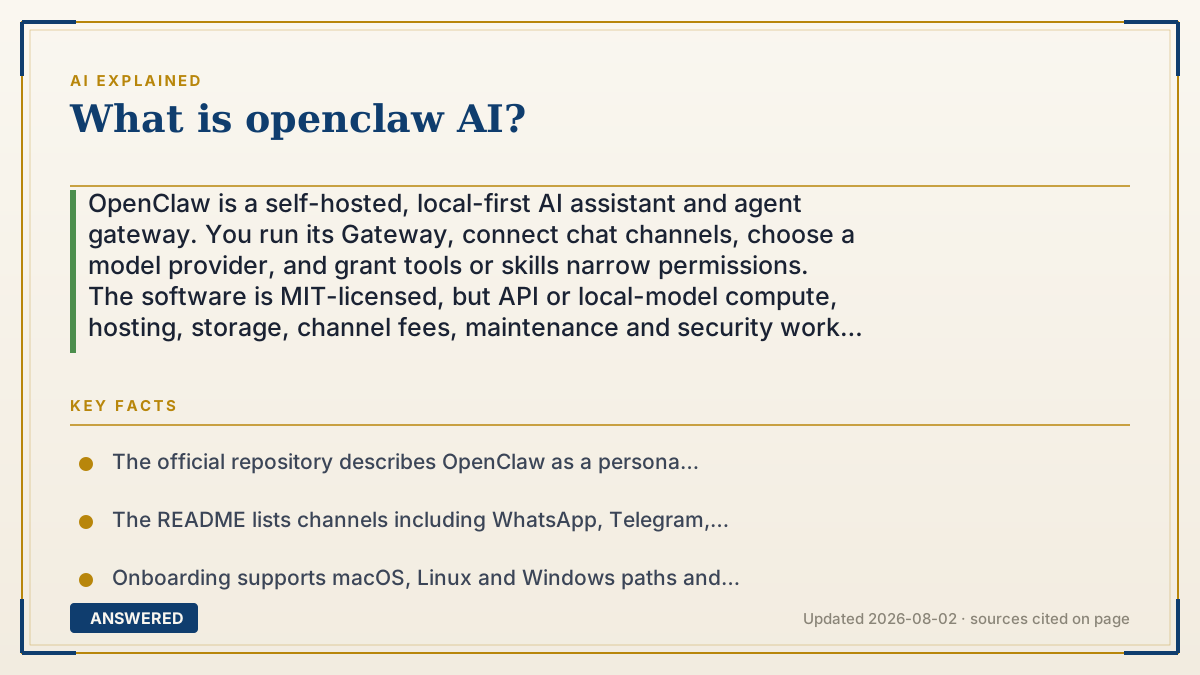
What is openclaw AI?
OpenClaw is a self-hosted, local-first AI assistant and agent gateway. You run its Gateway, connect chat channels, choose a model provider, and grant tools or skills narrow permissions. The software is MIT-licensed, but API or local-model compute, hosting, storage, channel fees, maintenance and security work still cost money. “Local” describes where the control plane runs; it does not mean model prompts or channel messages never leave your machine.
Why — the first-principles explanation
OpenClaw is best understood as an orchestration layer, not a model. Its Gateway is the control plane for sessions, channels, tools and events; a separate provider supplies the model response. That separation lets you switch among providers such as Anthropic, OpenAI, Google, xAI, OpenRouter or a compatible endpoint, but it also creates a data-flow question: a prompt may pass from a chat channel to your Gateway and then to the selected model provider. Check each provider’s retention, training, residency and billing terms before calling a setup private.
The useful unit is a chain of trust: Gateway plus state, channel adapters, model credentials, tools, skills and the host operating system. A Telegram or Slack message is an input surface; a model is a probabilistic decision-maker; a skill describes when and how to use a tool; and a tool can read, write, browse, send or execute. The more links you enable, the larger the blast radius of a mistaken instruction, leaked credential or malicious piece of content.
The official project documents a personal-assistant trust model, not a hostile multi-tenant boundary. An authenticated Gateway operator is trusted, and session identifiers are routing controls rather than per-user authorization. If mutually untrusted people can message one tool-enabled agent, they share that agent’s delegated authority. For a team or public bot, use separate gateways and credentials, ideally separate OS users, hosts or VPSs, then add channel pairing and allowlists.
“Free” needs a cost model. The repository is MIT-licensed, but a production setup can still incur model/API tokens, local GPU or electricity costs, VPS or storage fees, messaging-provider charges, backups, monitoring, upgrades and incident response. A local model can reduce API transmission, yet it does not make hardware, latency, model quality or operations free. Compare total cost per useful task rather than the software’s download price.
Skills are markdown instruction files with a SKILL.md and may be bundled, managed, workspace-level or supplied by a plugin or registry. Treat a third-party skill as code and instructions inside your trusted computing base: inspect its files, restrict which agents can see it, pin versions where possible, and remove it if its behavior or network access is unclear. A prompt-injection string in a web page, attachment or skill should be treated as untrusted input, not as an authorization decision.
The official security guidance recommends starting with a local-only Gateway, DM pairing or explicit allowlists, least-privilege tool policy, and sandboxing for non-main or group sessions. The current default host-exec behavior is intentionally powerful for a trusted single operator; enabling a sandbox and keeping shell, filesystem, browser, node and channel-send actions disabled until needed is a safer starting point. Run the project’s security audit after configuration changes and before any remote exposure.
A sensible rollout is a read-only canary. Use one channel, one provider, a disposable workspace and no primary email, password manager, production repository or payment account. Log model requests and tool calls, test an adversarial message and a prompt-injection-shaped document, verify outgoing destinations, and only then approve a narrowly scoped action. Recheck the changelog, security policy and provider terms before upgrades; a fast-moving agent gateway is an operations responsibility, not a set-and-forget chatbot.
The right comparison is therefore not simply “OpenClaw versus ChatGPT.” Compare a self-hosted control plane with a hosted assistant across privacy, channel reach, tool authority, approval UX, reliability, support, updates, total cost and the operator’s ability to recover from a bad action. OpenClaw is compelling when you want one personal gateway to connect existing channels and tools; it is a poor fit when you need anonymous public access, strong tenant isolation or zero operational ownership.
An example that makes it click
Start with a spare machine or isolated VPS, a disposable workspace and one model API key. Run the Gateway locally, connect Telegram with DM pairing, expose only read and search tools, and keep shell, browser, email, calendar, payment and channel-send actions disabled. Send ten representative tasks, inspect the logs and provider requests, run the security audit, and estimate monthly tokens plus hosting and maintenance. If the canary is reliable, add one approved skill and one reversible action behind confirmation; do not jump straight to a personal account with unrestricted credentials.
How to do it
- Write the job contract: list the tasks, success criteria, data involved, allowed outbound destinations and actions that always require confirmation.
- Choose a trust boundary: use a dedicated machine, OS user, container or VPS; keep personal browser profiles, password stores and production credentials outside the first workspace.
- Install from the official repository or documented installer, run onboarding, and verify the Gateway status before adding channels.
- Select a model provider or compatible endpoint and record its data-retention, training, region, rate-limit and billing terms; a local Gateway does not guarantee a local model.
- Connect one low-risk channel with DM pairing, group allowlists and mention gating. Keep public or open inbound policies off until the threat model supports them.
- Set a least-privilege tool profile. Disable shell, filesystem writes, browser, node, cron, gateway and channel-action tools unless a named task needs them.
- Enable sandboxing for non-main or group sessions, run openclaw security audit --deep, and fix permissions, authentication and exposure findings before remote access.
- Review every skill or plugin as trusted code: inspect SKILL.md, source, package scripts and network behavior; restrict skill visibility per agent and pin or record the version.
- Create a canary test set, include prompt-injection-shaped content, capture traces and tool calls, and confirm that approvals and rollback work before granting reversible actions.
- Budget the complete system—tokens or GPU time, host, storage, channel fees, backups and maintenance—then pin a release, read the changelog and document an update and rollback procedure.
Key facts
- The official repository describes OpenClaw as a personal AI assistant with a local-first Gateway that acts as the control plane for sessions, channels, tools and events.
- The README lists channels including WhatsApp, Telegram, Slack, Discord, Google Chat, Signal, iMessage, Microsoft Teams, Matrix, Feishu, LINE and a built-in WebChat; the exact list can change, so consult the current repository.
- Onboarding supports macOS, Linux and Windows paths and can install a Gateway daemon; the official getting-started guide requires an API key from a model provider such as Anthropic, OpenAI or Google.
- OpenClaw supports multiple model providers and compatible endpoints. The model and the Gateway are separate components, so provider data handling remains part of the privacy decision.
- The repository is released under the MIT License. That covers software rights, not the cost of model usage, hardware, hosting, channels, storage, maintenance or security operations.
- Skills are SKILL.md instruction files loaded from bundled, managed, workspace, project, personal, plugin or extra directories; precedence and per-agent allowlists affect which skill an agent can use.
- The official security guide says one Gateway is for one trusted operator boundary, not mutually adversarial tenants. Separate gateways, credentials and ideally OS users or hosts for mixed-trust users.
- The documented defaults include DM pairing for unknown senders and a host-exec posture that may run without a sandbox for the trusted single-operator model; explicitly enable sandboxing and narrow tool policy when isolation matters.
- OpenClaw provides a security audit and exposure guidance. Treat public network exposure, open inbound messages, broad tool access and unreviewed plugins or skills as deployment decisions that need evidence and rollback.
- The project changes quickly. Check the current README, security policy, changelog and provider terms at the time of installation instead of relying on old name timelines, channel counts or incident summaries.
Turn a powerful agent into a bounded decision
Start with the architecture and trust model, then compare integrations, permissions, privacy terms and total cost before giving an agent access to real accounts.
▶ The 60-second explainer (script)
OpenClaw is not another AI model. It is a self-hosted agent gateway: you run a Gateway on a machine you control, connect the chat channels you already use, choose a model provider, and decide which tools and skills the assistant may use. That makes it more actionable than a text-only chatbot, but it also gives you more operations and security responsibility. The important data flow is Gateway, channel, model provider, skills and tools. A local Gateway does not automatically mean prompts stay local; an API provider or messaging service may still receive them. The software is MIT-licensed, but the full cost can include tokens, GPU time, hosting, storage, channel fees, backups, upgrades and incident response. Start with a disposable workspace and one low-risk channel. Use DM pairing and allowlists, disable shell, filesystem writes, browser, email and channel actions, and enable a sandbox for non-main or group sessions. Review each third-party skill as trusted code, run the official security audit, test prompt-injection-shaped content, and log outbound requests. OpenClaw’s own trust model is one trusted operator per Gateway, not anonymous multi-tenant isolation. If you need a team or public service, split gateways and credentials by trust boundary. Compare it with hosted tools on privacy, integrations, tool authority, approval UX, reliability and total cost—not just whether the download is free.
What authoritative sources say
People also ask
What is OpenClaw AI?
It is an open-source, self-hosted AI assistant and agent gateway. The Gateway connects channels, model providers, sessions, tools, skills and workspace state; it is not itself a replacement for the model provider.
Is OpenClaw truly local?
The Gateway can run on your machine or a server you control, but “local” does not guarantee that data stays there. Chat channels, API model providers, plugins and external tools may receive data. Trace the actual requests and read each provider’s terms.
Is OpenClaw free?
The repository is MIT-licensed, but a useful deployment may still cost money for model API tokens or local compute, hosting, storage, messaging services, backups, maintenance and security. A local model changes the cost mix; it does not make total cost zero.
Can I use Claude, GPT or a local model?
The official documentation supports multiple providers and compatible endpoints. Choose a provider/model explicitly during onboarding or configuration, then verify its privacy, billing, rate-limit and data-retention terms. Local inference is a deployment choice, not an automatic OpenClaw guarantee.
Is OpenClaw safe to use?
Safety depends on the boundary you build. Start with DM pairing, allowlists, least-privilege tools, a sandbox for non-main or group sessions, reviewed skills and an isolated host. Do not treat prompt instructions, session labels or a local install as authorization or multi-user isolation.
What are OpenClaw skills?
Skills are directories containing a SKILL.md that teaches an agent when and how to use tools. They can come from the bundled install, a workspace, managed state, a plugin or a registry. Review them as trusted code and use per-agent allowlists before enabling third-party skills.
How is OpenClaw different from ChatGPT?
ChatGPT is a hosted product; OpenClaw is an operator-run gateway that can connect your channels and tools. OpenClaw offers more control over deployment and integrations, but you also own credentials, permissions, uptime, updates, provider contracts and recovery from mistakes.
Can multiple people share one OpenClaw Gateway?
The official trust model is one trusted operator boundary per Gateway, not mutually adversarial tenants. A shared business agent can be valid when users share the same trust boundary; for mixed-trust or public use, split gateways, credentials and ideally OS users or hosts.
What should I check before installing it?
Read the current README, getting-started guide, security policy, security audit checks, model-provider terms and changelog. Then run a read-only canary on an isolated host, record outbound requests and tool traces, and write an update and rollback plan.
The same question, asked other ways
- What is the OpenClaw AI agent?