What is the best AI image generator?
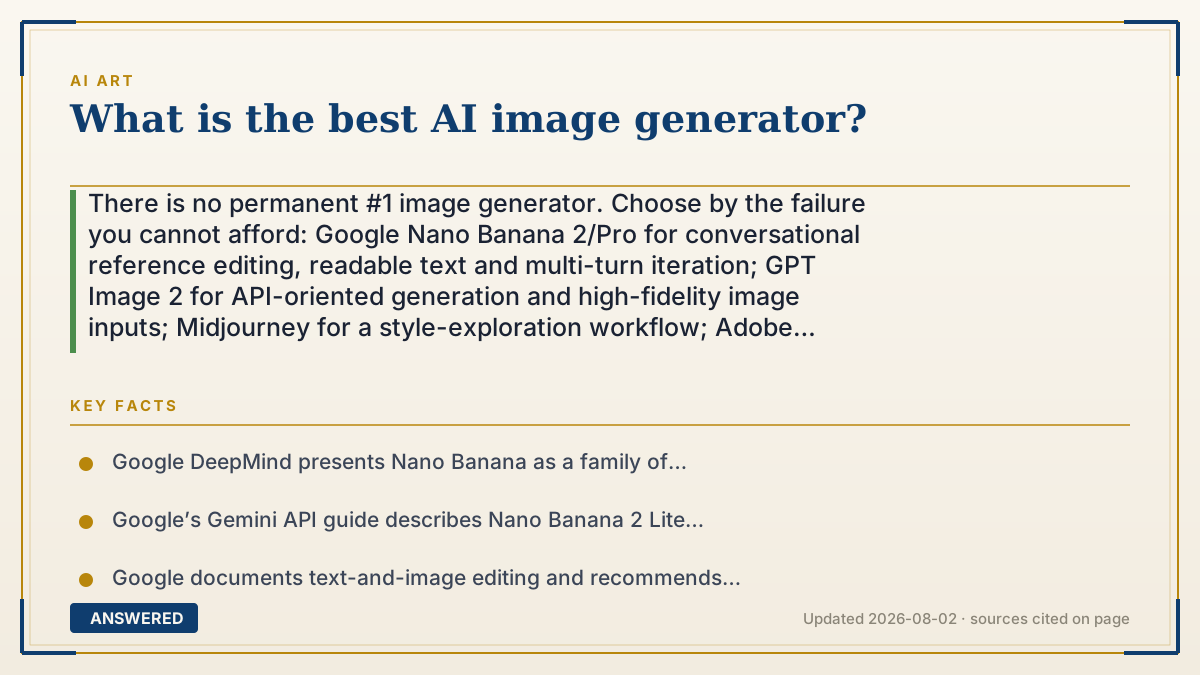
There is no permanent #1 image generator. Choose by the failure you cannot afford: Google Nano Banana 2/Pro for conversational reference editing, readable text and multi-turn iteration; GPT Image 2 for API-oriented generation and high-fidelity image inputs; Midjourney for a style-exploration workflow; Adobe Firefly when Adobe integration, provenance and its current commercial terms matter. Compare approved assets per dollar, privacy, export and model version before you subscribe.
Why — the first-principles explanation
“Best” is a multi-objective decision, not one image-quality score. Style, instruction following, readable text, reference consistency, editability, latency, privacy, export, rights and price can pull in different directions. A tool that makes a beautiful first draft can still be the wrong purchase if it loses a logo, cannot preserve a character or exposes a client asset to a workflow you have not approved.
Start with the job. For detailed prompts, text in images, reference inputs and conversational edits, Google’s Nano Banana family and OpenAI’s GPT Image workflow are the most relevant tests: both vendors document image generation plus editing, while Google explicitly describes multi-turn iteration and model variants for different speed, quality and control needs. For style exploration, test Midjourney as a separate workflow rather than treating a public “best-looking” ranking as a universal benchmark.
Google’s current API documentation calls Nano Banana 2 Lite the fastest, lowest-cost option, Nano Banana 2 the generalist with 4K output, text rendering and multiple-reference consistency, and Nano Banana Pro the premium option for complex visual tasks, localization, brand consistency and precision control. Those are product-positioning claims from Google, not an independent league table; record the exact model and date when you test.
OpenAI’s GPT Image 2 documentation describes flexible image sizes, high-fidelity image inputs, edits and multi-turn image workflows. That makes it a sensible candidate when the acceptance test is “keep these reference assets, change only this region, and let an API or conversation drive the next edit.” It does not mean every prompt wins; score identity, text, layout and retry rate on your own brief.
Rights and provenance are separate decisions. Adobe describes Firefly as trained on licensed Adobe Stock, openly licensed and public-domain content and integrates it into Adobe creative apps; that can reduce one class of training-data risk, but it is not a blanket legal clearance or a substitute for reading the plan terms. Google’s SynthID and C2PA Content Credentials can help identify or record provenance. Neither one grants copyright, permission to use a person’s likeness or a commercial license. The U.S. Copyright Office also distinguishes human authorship from merely supplying a prompt.
The defensible answer is a dated scorecard: run the same prompt set and reference images through two or three finalists, keep failed takes, count human edits and retries, calculate the cost of an approved asset, and save the model, plan and terms you tested. The winner is the workflow that passes your acceptance checklist at a sustainable cost—not the loudest leaderboard claim.
An example that makes it click
Imagine three briefs. A product team needs a four-panel diagram with exact labels and two reference photos, so test Nano Banana 2/Pro and GPT Image 2 on text, layout and edits. An art director wants ten visual directions from loose prompts, so test Midjourney for style exploration. A brand team already works in Photoshop and needs a reviewable provenance trail, so test Firefly and read the applicable commercial terms. The answer changes because the acceptance test changes.
How to do it
- Write the brief and acceptance test: style, readable text, references, consistency, resolution, background removal, privacy, export and commercial use.
- Classify the workflow: conversational editing, API generation, style exploration, Adobe production or local/open-model control.
- Check the active model and current plan. Record the date, model name, resolution, credits, queue, watermark, export and data-retention terms.
- Create a fixed test set with one text-heavy layout, one product image, one reference edit, one consistent character and one difficult composition.
- Run the same brief through two or three finalists. Keep prompts and reference assets constant where each product allows it.
- Score wins and failures separately: instruction adherence, text, identity, composition, edit quality, retries, latency and human cleanup.
- Calculate cost per approved asset, including failed generations, upscaling, editing, storage and the subscription—not just the advertised generation price.
- Read the current commercial-use, privacy, likeness and provenance terms, then save the test date and a fallback tool before committing a client workflow.
Key facts
- Google DeepMind presents Nano Banana as a family of Gemini image generation and editing models, including Nano Banana 2 Lite, Nano Banana 2 and Nano Banana Pro.
- Google’s Gemini API guide describes Nano Banana 2 Lite as the fastest and lowest-cost variant, Nano Banana 2 as a generalist with 4K generation, reliable text rendering and multiple-reference consistency, and Nano Banana Pro as the premium option for complex visual tasks and brand consistency.
- Google documents text-and-image editing and recommends multi-turn conversations for iterating on generated images; available capabilities depend on the model and product surface.
- OpenAI describes GPT Image 2 as a current image generation and editing model with flexible image sizes and high-fidelity image inputs, available through image and conversational workflows.
- OpenAI’s image guide documents edits, masked edits and multi-turn image generation; API verification, limits and current pricing should be checked before production use.
- Midjourney’s plan, privacy and usage terms are product decisions that can change; compare the current official plan page and run the same acceptance test instead of relying on an old monthly-price list.
- Adobe describes Firefly as trained on licensed Adobe Stock, openly licensed and public-domain content and integrated into Adobe apps; commercial-use protection still depends on the current product and plan terms.
- Google says SynthID embeds an imperceptible watermark in Google AI images designed to survive common modifications such as cropping, filters and compression; it is provenance, not a copyright license.
- C2PA Content Credentials are cryptographically signed, tamper-evident provenance records. They are not DRM and do not by themselves establish permission to use an asset.
- The U.S. Copyright Office says copyright protection depends on human authorship; a prompt alone does not automatically make an AI output copyrightable.
Choose by the image you need to ship
Test the current model, approved output cost, reference handling, privacy and rights against your real brief.
▶ The 60-second explainer (script)
What is the best AI image generator? There is no permanent number one. Choose by the failure you cannot afford. For detailed prompts, readable text, reference images and conversational edits, test Google’s Nano Banana 2 or Pro and OpenAI’s GPT Image 2. Google documents multi-turn editing, 4K output and reference consistency across its current image models; OpenAI documents flexible sizes, high-fidelity inputs, masked edits and API workflows. For loose style exploration, test Midjourney as its own workflow, not as a universal quality benchmark. For a Photoshop-centered brand process, test Adobe Firefly and read the current commercial terms. Then run the same five briefs through two or three finalists. Score text, identity, layout, retries, human cleanup, privacy, export and cost per approved asset. Save the model and test date. The best generator is the one that passes your acceptance test, not the one with the loudest ranking.
What authoritative sources say
People also ask
What is the best AI image generator right now?
There is no universal winner. Start with Nano Banana 2/Pro for text, references and conversational edits; GPT Image 2 for API-oriented generation and high-fidelity inputs; Midjourney for style exploration; and Firefly for Adobe-centered production. Verify the active model, date, rights and export before buying.
Which AI image generator is best for text in images?
Put Nano Banana 2/Pro and GPT Image 2 in the same test with the exact labels you need. Google’s current API guide specifically discusses text rendering; OpenAI supports image generation and editing. Count misspellings and manual fixes rather than trusting a ranking.
Which one is best for consistent characters or products?
Use reference images and a multi-turn test. Google documents multiple-reference consistency for Nano Banana 2, while OpenAI documents high-fidelity image inputs and iterative edits. Measure identity drift across five outputs.
Is Midjourney still worth using?
It can be, if your acceptance test rewards fast visual direction and a distinctive style. Treat plan, privacy and commercial terms as current variables and compare the approved output against at least one instruction-focused tool.
Is Adobe Firefly safer for commercial work?
Firefly is the conservative candidate when licensed-source positioning, Adobe integration and provenance matter. That does not remove every legal or likeness issue; read the current plan terms and keep human review.
Can I use AI-generated images commercially?
Sometimes, subject to the provider’s current terms, your plan, the source assets, likeness permissions and local law. Provenance metadata is not a commercial license, and copyright protection for a prompt-only output is not automatic.
What is the best free AI image generator?
Compare the actual free allowance, watermark, queue, privacy and export. A hosted free tier is convenient; a local/open model can offer more control but requires hardware, setup and license review. “Free” is not the same as unlimited or production-ready.
How should I compare image generators for a business?
Use a fixed brief and score text, references, consistency, retries, human edit time, latency, approved cost, privacy, commercial terms, export and model durability. Keep the model name and test date with every result.
The same question, asked other ways
- What's the best AI image generator?
- Which AI image generator should I choose?
- Which AI program is best for images?
- Which is best: DALL-E, Midjourney, or Stable Diffusion?