How do I access or download Hermes AI?
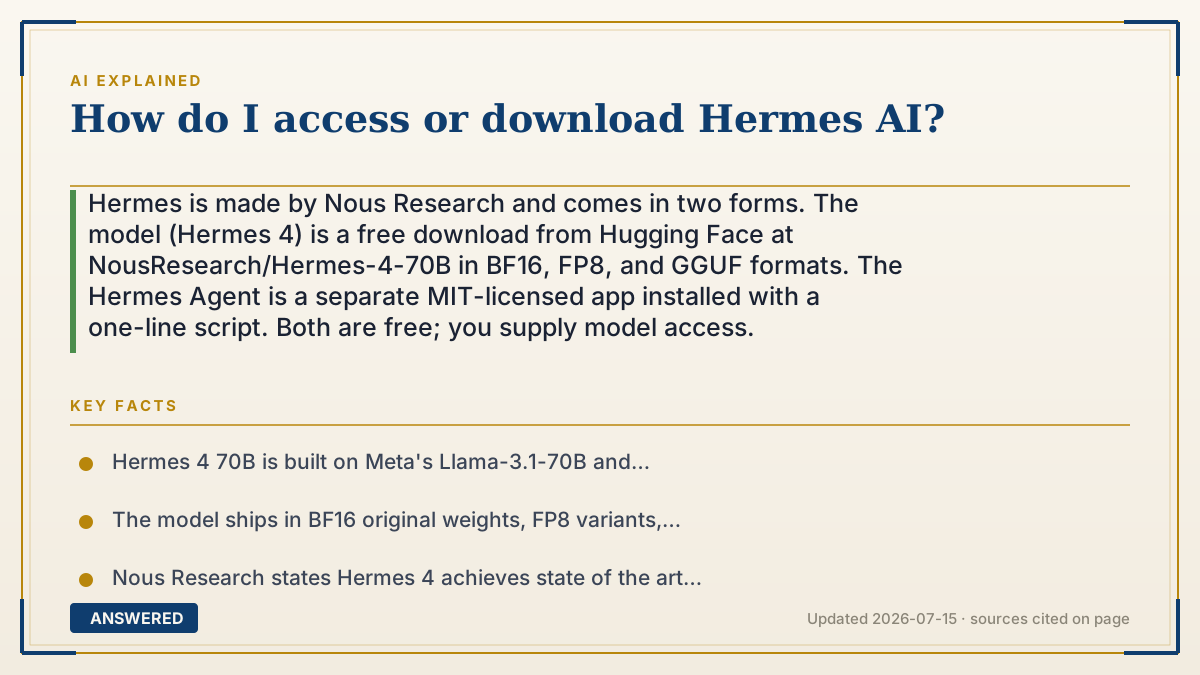
Hermes is made by Nous Research and comes in two forms. The model (Hermes 4) is a free download from Hugging Face at NousResearch/Hermes-4-70B in BF16, FP8, and GGUF formats. The Hermes Agent is a separate MIT-licensed app installed with a one-line script. Both are free; you supply model access.
Why — the first-principles explanation
The first thing to sort out is which Hermes you actually want, because Nous Research ships two different things under that name and they solve different problems.
Hermes 4 is a model — the raw intelligence, a file of trained weights. The 70B version is built on Meta's Llama-3.1-70B and released under the Llama3 license. Downloading it gives you a very large file that does nothing on its own; you need software to run it. This is the thing people mean when they talk about running Hermes locally. Hermes Agent is an application — a self-improving assistant that runs on Telegram, Discord, Slack, or your command line, with a learning loop that creates skills from experience and refines them in use. It's MIT-licensed and free, but it contains no intelligence itself. You point it at a model, either via API keys (OpenAI, OpenRouter) or Nous's own Portal subscription covering 300+ models.
The format names matter more than they look, because they determine whether your computer can actually run this. BF16 is the original full-precision weights — biggest files, most memory, best fidelity. FP8 and GGUF are compressed: the numbers inside the model are stored at lower precision, shrinking it dramatically at a small quality cost. GGUF is the format that runs in llama.cpp and LM Studio, which is how most people run models on a personal machine. A 70-billion-parameter model at full precision needs serious hardware; the same model in GGUF may fit on a good laptop. The download isn't the hard part — having the RAM is.
Worth knowing what makes Hermes distinctive, since it's why people seek it out specifically. Nous describes Hermes 4 as a hybrid-mode reasoning model "aligned to you," with explicit `<think>` reasoning segments you can toggle, and states it achieves state of the art on RefusalBench for helpfulness while conforming to your values, without censorship. That's the appeal: fewer refusals than hosted assistants. It's also the caution — the guardrails you're removing were catching real mistakes, and the model's tendency to state wrong things confidently doesn't improve just because it stopped saying no.
An example that makes it click
Think of Hermes 4 as an engine and Hermes Agent as a car. Buying an engine gets you a heavy metal object on your garage floor. It's genuinely the valuable part — but you can't drive it. You need a chassis, wheels, and a steering wheel around it.
That's why people get confused downloading "Hermes." They grab the engine and wonder where the dashboard is. And the format choice is like engine size versus your garage: the full-precision version is a truck engine that won't fit in a compact car. GGUF is the same engine, machined down to fit — a bit less power, but it actually goes in your vehicle.
How to do it
- Decide which you want: the model (Hermes 4, raw weights) or the app (Hermes Agent, an assistant you talk to).
- For the model, go to Hugging Face at huggingface.co/NousResearch/Hermes-4-70B and choose a format — GGUF if you're running it on a personal computer.
- To actually run a GGUF model locally, use LM Studio or llama.cpp, which load the file and give you a chat interface.
- Check your hardware first. A 70B model at full BF16 precision needs far more memory than most machines have; quantized GGUF versions are much smaller.
- For the Hermes Agent on Linux, macOS, or WSL2, run: curl -fsSL https://hermes-agent.nousresearch.com/install.sh | bash — the installer handles Python 3.11, Node.js, and Git.
- For Hermes Agent on Windows PowerShell, run: iex (irm https://hermes-agent.nousresearch.com/install.ps1)
- Give the agent model access: add an API key (OpenAI, OpenRouter, etc.) or use Nous Research's Portal subscription covering 300+ models.
- Treat any pipe-to-shell install command with normal caution — read the script before running it if you're unsure.
Key facts
- Hermes 4 70B is built on Meta's Llama-3.1-70B and released under the Llama3 license, available at huggingface.co/NousResearch/Hermes-4-70B.
- The model ships in BF16 original weights, FP8 variants, and GGUF formats compatible with llama.cpp and LM Studio.
- Nous Research states Hermes 4 achieves state of the art on RefusalBench for helpfulness while "conforming to your values, without censorship."
- Hermes Agent is distributed under the MIT License and is free; it installs via a one-line script and automatically handles Python 3.11, Node.js, Git, and other dependencies.
- Hermes Agent runs on Telegram, Discord, Slack, and CLI, features a learning loop that creates skills from experience, and supports scheduled automations and parallel subagents.
- Using Hermes Agent requires either your own model API keys (OpenAI, OpenRouter) or Nous Research's Portal subscription covering 300+ models.
▶ The 60-second explainer (script)
How do you download Hermes AI? First you need to know which Hermes you want, because Nous Research ships two different things under that name. Hermes 4 is a model — the raw intelligence, a file of trained weights. The 70B version is built on Meta's Llama-3.1-70B, under the Llama3 license, and you get it from Hugging Face at NousResearch slash Hermes-4-70B. Free. But download it and you have a very large file that does nothing by itself. Hermes Agent is a different thing entirely — an application. It's a self-improving assistant that runs on Telegram, Discord, Slack, or your command line, and it builds skills from experience. MIT-licensed, free, one-line install: curl the install script from hermes-agent dot nousresearch dot com and pipe it to bash. Windows users use the PowerShell version. But here's the catch — the agent contains no intelligence. You point it at a model with an API key, or Nous's Portal subscription that covers three hundred plus models. Think of it as an engine versus a car. The model is the engine. The agent is the chassis and steering wheel. People download the engine and wonder where the dashboard went. Now the part that actually trips people up: formats. BF16 is full precision — biggest files, most memory. FP8 and GGUF are compressed, storing the numbers at lower precision. GGUF is what runs in LM Studio and llama.cpp, which is how most people run models on a personal machine. A seventy-billion-parameter model at full precision needs serious hardware. The same model in GGUF might fit your laptop. Downloading isn't the hard part. Having the RAM is. Why Hermes specifically? Nous describes it as aligned to you — state of the art on RefusalBench, conforming to your values without censorship. Fewer refusals. That's the appeal. It's also the caution: the guardrails you're removing were catching real mistakes, and a model that stops saying no doesn't start being right.
What authoritative sources say
People also ask
Is Hermes AI free?
Yes. Hermes 4's weights are a free download from Hugging Face, and Hermes Agent is MIT-licensed and free. Your costs come from either the hardware to run the model locally or API credits if you use a hosted model.
What's the difference between Hermes 4 and Hermes Agent?
Hermes 4 is a model — trained weights that do the thinking. Hermes Agent is an application that talks to you on Telegram, Discord, Slack, or CLI. The agent has no intelligence of its own; you plug a model into it.
Can my computer run Hermes 4 70B?
Depends on your memory and which format you pick. BF16 full precision needs serious hardware. Quantized GGUF versions are far smaller and run in LM Studio or llama.cpp on much more modest machines.
Is Hermes uncensored?
Nous Research states Hermes 4 conforms to your values "without censorship" and claims state of the art on RefusalBench for helpfulness. Fewer refusals doesn't mean more accuracy — it'll state wrong things confidently just like any model.
Which Hermes do people usually mean?
Usually Nous Research's Hermes model family. Note that other unrelated products share the name, so check that you're on nousresearch.com, their GitHub, or their Hugging Face page before downloading anything.