How do I check my Google AI credit balance?
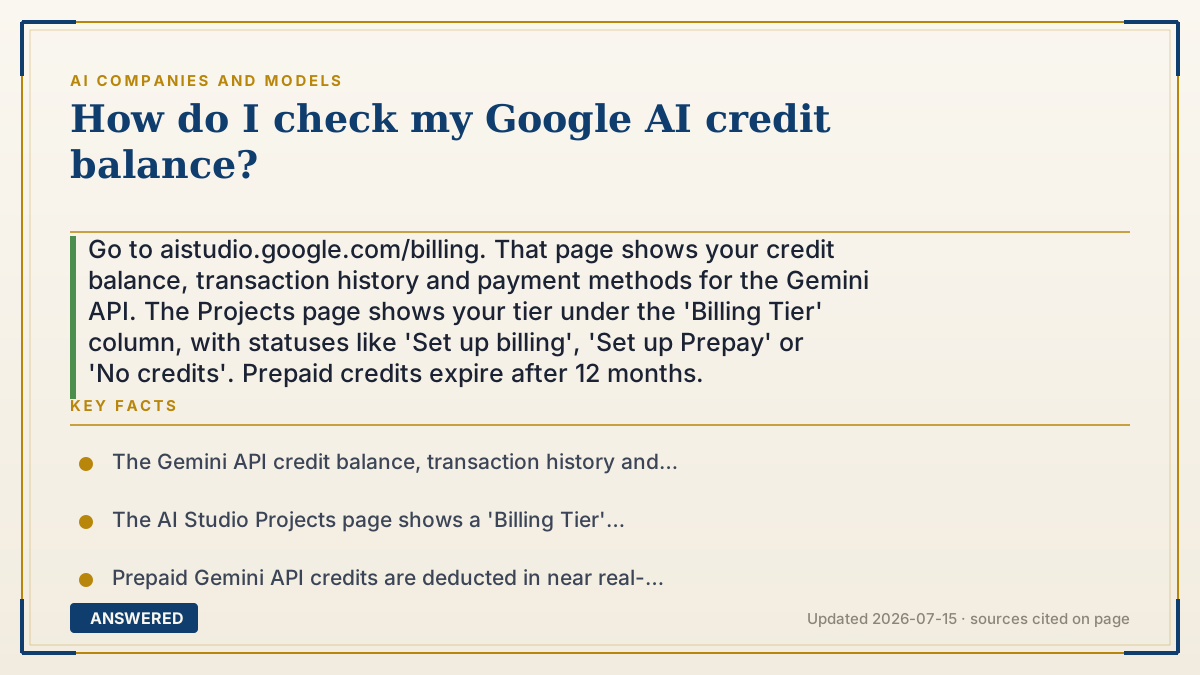
Go to aistudio.google.com/billing. That page shows your credit balance, transaction history and payment methods for the Gemini API. The Projects page shows your tier under the 'Billing Tier' column, with statuses like 'Set up billing', 'Set up Prepay' or 'No credits'. Prepaid credits expire after 12 months.
Why — the first-principles explanation
The confusion here is that "Google AI credits" means at least three different things, and they live in three different places. Find yours first or you'll be clicking forever.
Gemini API prepaid credits are the most common answer. If you're a developer calling Gemini programmatically, you can pre-purchase credits and they're drawn down in near real-time as you use the API. Balance lives at aistudio.google.com/billing. Important: they expire after 12 months, which surprises people who buy a big block and use it slowly.
Google Cloud credits are different. Google AI Ultra includes $40/month in Google Cloud credits, and those are spent in the Google Cloud console, not AI Studio. There's a wrinkle worth knowing: if you opened your account after March 2, 2026, those credits can't be used to pay for Gemini API and AI Studio usage — only for other Google Cloud products. Two credit pools, one name, no interchange.
Subscription usage limits are the third thing, and the one most consumers actually mean. If you're on AI Plus, AI Pro or AI Ultra, you don't have "credits" at all — you have usage multipliers (AI Pro gets 4x the free tier's Gemini limits; Ultra gets 20x AI Pro's). There's no balance page for those because there's no balance. You just hit a limit and get told to wait.
That mismatch is why this search exists. People on a consumer subscription go hunting for a credit counter that was never built, because the product doesn't meter that way. If you're on AI Pro and looking for your "points," the honest answer is: you don't have points.
An example that makes it click
Think of three different things a coffee shop might sell you. A prepaid card with $50 loaded — you can check the balance at the register, and it expires in a year. That's Gemini API credits.
A gift certificate from a different store in the same mall, handed to you as a bonus — useful, but not at this counter. That's the $40/month Google Cloud credits in AI Ultra.
And an all-you-can-drink membership with a fair-use cap. There's no balance to check. You just drink until the barista says "let's take a break." That's AI Pro and AI Ultra — and it's what most people are actually looking for a balance page for.
How to do it
- Figure out which credits you mean. Developer calling the Gemini API? Prepaid credits. On AI Pro or Ultra? You have usage limits, not credits. Got Ultra's Cloud bonus? Those are Google Cloud credits.
- For Gemini API credits, go to aistudio.google.com/billing. Your credit balance, transaction history and payment methods are all on that page.
- Check your project's status on the AI Studio Projects page, under the 'Billing Tier' column. It shows 'Set up billing' if no billing account is attached, 'Set up Prepay' if one is attached but Prepay isn't configured, and 'No credits' if your balance is depleted.
- Note the expiry. Prepaid credits expire 12 months after purchase — don't buy a large block for slow use.
- For Google AI Ultra's $40/month Cloud credits, check the Google Cloud console instead, not AI Studio. If your account was opened after March 2, 2026, these can't pay for Gemini API or AI Studio usage.
- If you're on a consumer subscription (AI Plus/Pro/Ultra) and looking for a point balance, stop looking. Those plans meter by usage limits, and there's no balance page.
Key facts
- The Gemini API credit balance, transaction history and payment methods are at the AI Studio Billing page: aistudio.google.com/billing.
- The AI Studio Projects page shows a 'Billing Tier' column with statuses including 'Set up billing', 'Set up Prepay' and 'No credits'.
- Prepaid Gemini API credits are deducted in near real-time and expire 12 months after purchase.
- Google AI Studio usage is free of charge unless you link a paid API key for access to paid features.
- Google AI Ultra includes $40/month in Google Cloud credits, which are separate from Gemini API prepaid credits.
- Accounts opened after March 2, 2026 cannot use Google Cloud credits to pay for Gemini API and AI Studio usage — only for other Google Cloud products.
Open Google's billing and plan controls
Use the official billing or Google AI plan page that matches the account and product you use.
▶ The 60-second explainer (script)
How do you check your Google AI credit balance? Short answer: aistudio.google.com slash billing. But the reason you couldn't find it is that 'Google AI credits' means three different things living in three different places. First: Gemini API prepaid credits. If you're a developer calling Gemini in code, you can pre-buy credits, and they draw down in near real-time. Balance is on the AI Studio billing page. One catch — they expire after twelve months. That surprises people who buy a big block and use it slowly. Second: Google Cloud credits. AI Ultra includes forty dollars a month of them, and those get spent in the Google Cloud console, not AI Studio. Weird wrinkle: if you opened your account after March second, 2026, those credits can't pay for Gemini API or AI Studio at all. Only other Cloud products. Two pools, one name, no exchange rate. Third — and this is what most people actually mean — subscription usage limits. If you're on AI Pro or Ultra, you don't have credits. You have multipliers. Pro gets four times the free limits, Ultra gets twenty times Pro. There's no balance page because there's no balance. You just hit the limit and get told to wait. That mismatch is why people search this. They go hunting for a counter that was never built. If you're on AI Pro looking for your points — you don't have points.
What authoritative sources say
People also ask
Do Google AI credits expire?
Gemini API prepaid credits expire 12 months after purchase. Don't buy a large block if you plan to use it slowly.
Why does my project say 'No credits'?
Your prepaid balance is depleted or unavailable. Top up on the AI Studio Billing page, or set up Prepay if a billing account is attached but Prepay isn't configured.
Is Google AI Studio free?
Yes — AI Studio usage is free unless you link a paid API key for paid features. The free tier needs no credit card.
I'm on AI Pro. Where's my balance?
There isn't one. Consumer plans meter by usage limits, not credits — AI Pro gives roughly 4x the free tier's Gemini limits. You'll simply be told when you hit the cap.
Can I use Ultra's Cloud credits on the Gemini API?
Not if your account was opened after March 2, 2026. Those credits work on other Google Cloud products, not Gemini API or AI Studio usage.