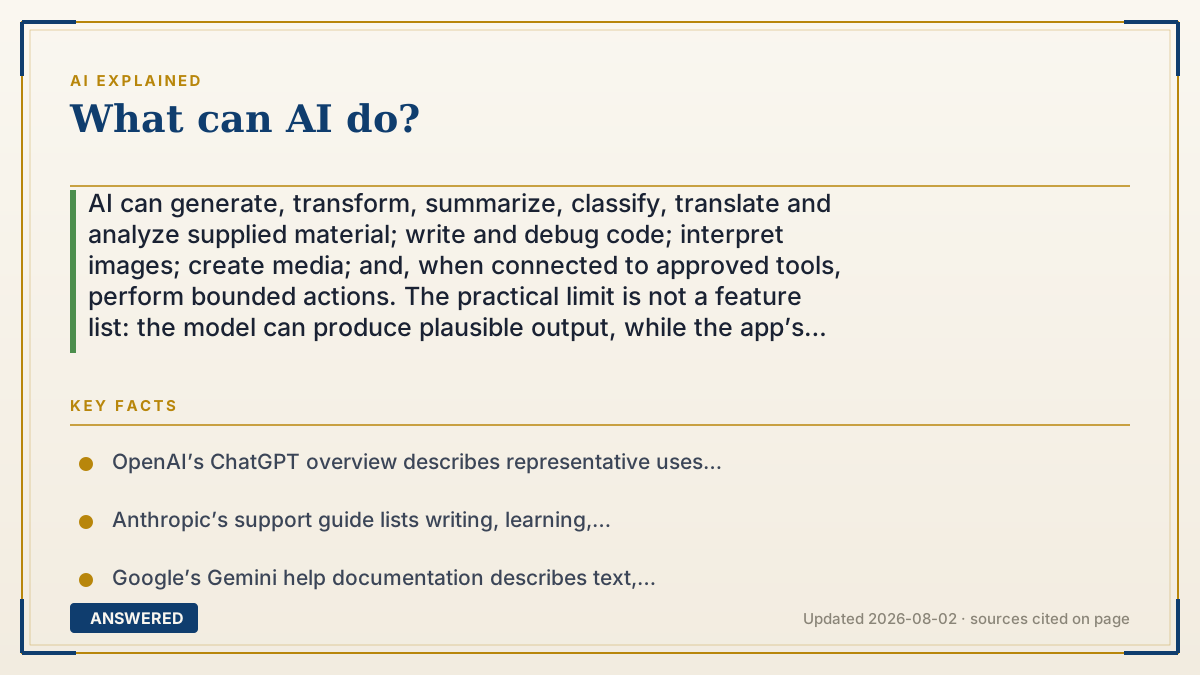
What can AI do?
AI can generate, transform, summarize, classify, translate and analyze supplied material; write and debug code; interpret images; create media; and, when connected to approved tools, perform bounded actions. The practical limit is not a feature list: the model can produce plausible output, while the app’s sources, permissions and review loop determine what it can safely do. Verify consequential claims and keep a human accountable.
Why — the first-principles explanation
AI capability is a stack, not a magic verb. A model turns an input into a prediction or generated output. The application adds context such as files or retrieved sources, a user interface and policies. Tools add access to search, code execution, calendars, databases or other systems. Permissions decide what the system may read or change. Evaluation and human review decide whether the result is acceptable. Remove any layer and the answer to “can AI do this?” changes.
That stack creates six practical capability groups:
1. Understand and explain: answer questions, teach a concept, brainstorm, compare options and help you plan. 2. Transform supplied material: summarize, rewrite, translate, extract fields, classify items and turn notes into a table or outline. 3. Generate drafts and media: produce text, code, images, audio, video or structured data when the product supports that modality. 4. Analyze and reason over context: inspect a document, spreadsheet, chart, image or codebase, then surface patterns, hypotheses or next steps. 5. Use tools and agents: search or call an approved service, run code, retrieve records and continue a multi-step workflow under rules, limits or approval. 6. Automate bounded work: repeat a tested workflow with logs, fallbacks and a clear owner rather than promising open-ended autonomy.
The boundary is reliability, not imagination. A fluent answer is not proof that a claim is true; an image is not proof that its subject exists; generated code is not proof that it is secure. Current facts need authoritative sources, calculations need a calculator or tested code, and consequential decisions need a qualified person. A product’s marketing page may list a capability, but the real question is whether the feature is available in your country, plan, language, file type and account, and whether its data and permission controls fit the job.
An example that makes it click
A support lead can give an AI assistant a batch of tickets, ask it to group recurring issues, summarize evidence and draft replies. If the assistant has a read-only help-desk connector, it can retrieve the records; an agent with a write-capable connector might also prepare a status change. The useful boundary is approval: a person checks the source tickets and sends or applies the final action. The same workflow should not silently issue refunds, delete records or publish an unreviewed policy.
How to do it
- Name the outcome and the cost of being wrong: a rough draft, a searchable summary, a tested code change or a consequential decision are different jobs.
- Choose the needed modality and operation: generate, transform, classify, retrieve, calculate, analyze or take an action.
- Supply approved context and primary sources. State what the system must not invent, omit or infer, and remove secrets that are not necessary.
- Specify an output contract: format, audience, citations or source spans, confidence notes, acceptance tests and a stop condition.
- Use the least privilege that works. Prefer read-only access, scoped files and reversible actions; require explicit confirmation before writes, purchases, messages or deletion.
- Run a small representative batch, including edge cases and failure cases, before treating a polished demo as a workflow.
- Verify claims against authoritative sources, calculations against a calculator or tests, and code against review, dependency and security checks.
- Keep a human accountable for medical, legal, financial, employment, education, safety or other high-impact decisions and public claims.
- Measure accepted-output rate, edit time, latency, cost, error severity and escalation rate, then revise the prompt, tool permissions or workflow.
Key facts
- OpenAI’s ChatGPT overview describes representative uses including everyday questions, explaining concepts, drafting, web search, image generation, file and document work, voice, connected work apps and coding.
- Anthropic’s support guide lists writing, learning, summarization, coding, brainstorming, translation and image analysis as common Claude use cases.
- Google’s Gemini help documentation describes text, voice, photo and camera input; writing, learning, summaries, image generation and planning with connected services, while noting that availability varies by language, country, account and device.
- OpenAI’s Agents SDK documentation defines agents as applications that plan, call tools, collaborate across specialists and keep enough state for multi-step work; it also describes guardrails and human-review approval flows.
- NIST’s Generative AI Profile treats risks and controls across governance, content provenance, pre-deployment testing and incident disclosure rather than assuming generated output is automatically trustworthy.
- A capability claim is incomplete without its operating context: model, modality, current sources, data handling, permissions, rate or usage limits and review responsibility all affect the result.
- AI can produce a useful draft without being a reliable source of truth. Verification, tests and an accountable owner are separate parts of a safe workflow.
Match AI capability to a real job
Choose a workflow by task, evidence, permissions and review—not by a product slogan.
▶ The 60-second explainer (script)
What can AI do? Start with the stack, not the hype. A model generates a prediction or draft. Your context and files make it relevant. Tools can search, run code or retrieve records. Permissions decide what it may read or change. Evaluation and human review decide whether the result is acceptable. In practice, AI can explain, summarize, translate, extract, draft, code, inspect images and documents, generate media, and run bounded multi-step workflows. But a fluent answer is not verified truth, and a tool connection does not make an action safe. Use primary sources for current facts, tests for code and calculations, least-privilege access, explicit approval for writes, and a person accountable for high-impact decisions.
What authoritative sources say
People also ask
What can AI do in one sentence?
It can generate, transform, classify, retrieve and analyze information, and some applications can call tools to perform bounded actions under permissions and review.
Can AI write code?
Yes. It can explain code, draft functions, refactor, debug and suggest tests. Run the result in a controlled environment, review dependencies and security, and do not treat generated code as tested or production-ready by default.
Can AI analyze files, charts or images?
Many tools accept documents, spreadsheets, charts or images and can summarize or describe them. Check the product’s supported formats, extraction quality and data-retention terms, and verify important figures against the source.
Can AI create images, video or audio?
Some products support one or more of these modalities. Availability, quality, speed, rights and commercial terms vary, so review the tool’s current terms and keep a record of supplied assets and meaningful assistance.
Can AI search the web or use my apps?
Only when the product has that connector or tool and you grant access. Search results and retrieved records still need source checks; keep connectors scoped and prefer read-only access until the workflow is proven.
Can AI make decisions for me?
It can compare options, rank evidence or draft a recommendation, but do not delegate high-impact decisions or accountability to an unreviewed model. A qualified person should make and document the final decision.
Why is AI sometimes wrong?
Generation optimizes for a plausible response, not a guaranteed fact. Missing context, stale sources, ambiguous instructions, extraction errors and tool failures can all produce a confident mistake.
What can AI not do reliably?
It cannot guarantee truth, intent, originality, security, access or accountability. It also cannot use a file, account or system that it has not been given and authorized to use.
How should I choose an AI tool?
Start with the job and risk, then compare modality, grounding and citations, file support, privacy and retention, permissions, editability, review controls, cost and measured performance on your own examples.
Can AI automate a workflow?
Yes, when an application or agent can call the required tools. Keep the workflow bounded, logged and reversible where possible, use least privilege, add approval before consequential writes and define a fallback owner.
The same question, asked other ways
- What does AI do?
- What is AI used for?
- What can I do with AI?