What is Google's AI called?
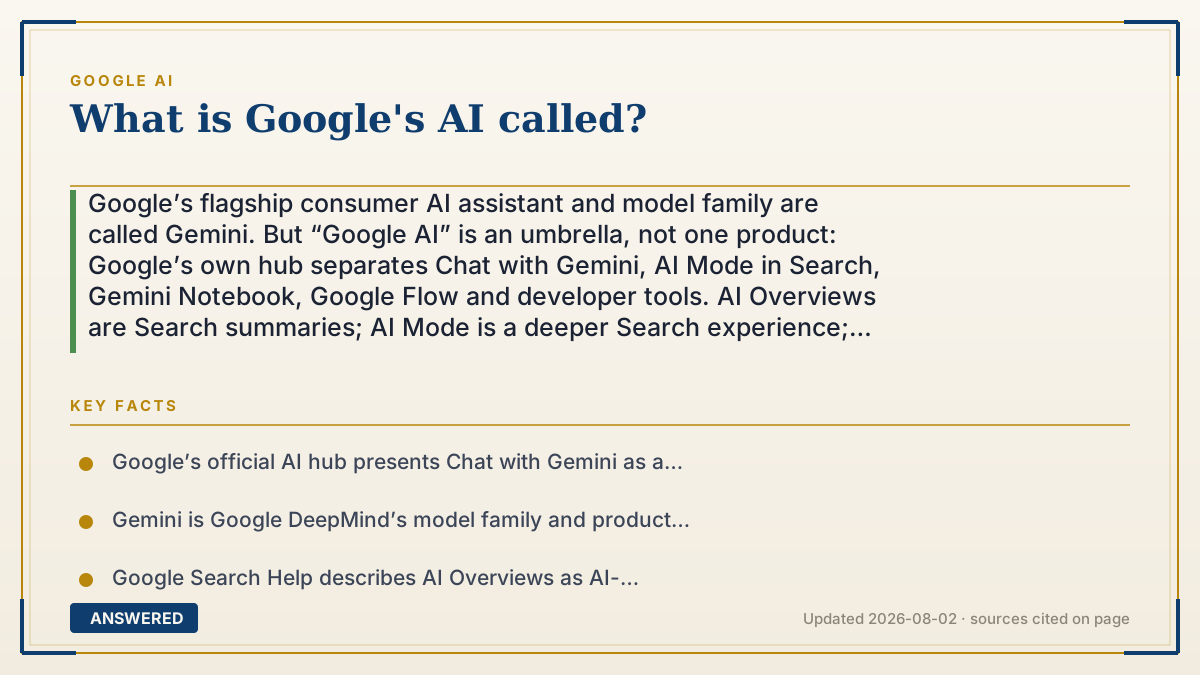
Google’s flagship consumer AI assistant and model family are called Gemini. But “Google AI” is an umbrella, not one product: Google’s own hub separates Chat with Gemini, AI Mode in Search, Gemini Notebook, Google Flow and developer tools. AI Overviews are Search summaries; AI Mode is a deeper Search experience; Google AI Plus, Pro and Ultra are subscriptions. Choose the surface first—the name alone does not tell you the model, feature, plan or availability.
Why — the first-principles explanation
The short answer is Gemini, but the useful answer depends on what you saw. Google uses several labels at different layers, and treating them as synonyms creates the wrong instructions, price comparison or privacy expectation. At the model layer, Gemini is Google DeepMind’s family of generative AI systems. Model pages use version and capability labels that can change—such as Pro, Flash, Flash-Lite or Deep Think—so a model name is not automatically the name of the consumer app. A model is the engine; it can be exposed through several products and developer routes. At the consumer-app layer, Google’s current AI hub calls the experience “Chat with Gemini.” The Gemini mobile app lets people type, speak, use photos and ask for help with writing, learning, planning and other tasks, subject to account, age, language and country availability. This is the answer to “What is Google’s chatbot or assistant called?” It is not the same thing as every AI feature inside Search, Android, Gmail or Docs. At the Search layer, there are at least three distinct labels. AI Overviews are an AI-generated snapshot that can appear in ordinary Search when Google’s systems decide it may help, with links to explore. AI Mode is a more interactive Search experience with follow-up questions and a broader, multi-query exploration of the web. The AI Mode experiment in Search Labs is an opt-in test of new capabilities; its toggle applies to that experiment, not automatically to standard AI Mode or AI Overviews. Google’s own help pages warn that AI responses can be wrong, so the label does not change the need to check important claims. At the subscription layer, Google One’s current page calls the paid consumer tiers Google AI Plus, Google AI Pro and Google AI Ultra. They bundle different access levels to Gemini and other Google products, storage and features. A subscription tier is a billing and entitlement layer, not a new model family. Names, prices, storage, usage limits and included features can vary by country and change over time; a page that hard-codes an old monthly price can be accurate for one snapshot and misleading later. At the developer and enterprise layer, Google’s AI hub separates Google AI Studio, the Gemini API and cloud or agent platforms. A developer using the Gemini API is not using the same account, limits or contract as someone chatting in the Gemini app. Vertex AI, Workspace, Android and Search can provide different administrative, data and support controls even when Gemini models are involved. “Google AI” is therefore best understood as an umbrella and navigation label. Google’s official AI hub places Gemini, AI Mode, Gemini Notebook, Flow, Google AI Studio, the Gemini API and other products under that umbrella. It is not a single model name, a universal Search switch or a guarantee that one subscription unlocks every feature. Google DeepMind is the research and model organization; Gemini is the model family and product brand; AI Overviews and AI Mode are Search surfaces; Google AI plans are subscription tiers. Bard is a historical source of confusion. Google’s 2023 announcement described Gemini models arriving in Bard; the current Google AI hub labels the consumer chat entry “Chat with Gemini.” If an article says Bard, date it and check whether it is discussing the former product name, a legacy URL or a current Gemini feature. Do not use an old Bard article to infer today’s plan or model availability. A reliable lookup follows a simple sequence: identify where the label appeared, map it to model, app, Search surface, subscription or developer platform, then open the official page for that layer. If the user asks “What is Google’s AI called?” answer Gemini first, then qualify the exact path. That answer is both shorter for searchers and safer for people who are about to change Search settings, choose a plan or put work data into a tool.
An example that makes it click
Suppose someone sees an AI-written paragraph above a Google result and asks, “Is that Gemini?” The safest explanation is: it is an AI Overview, a Search surface. If they tap into a conversational experience with follow-up questions, they may be in AI Mode. If they open gemini.google.com or the mobile app to chat, they are using Chat with Gemini. If they are comparing Google AI Pro and Ultra, they are choosing a subscription entitlement. The same Gemini model family may be involved, but the controls, history, billing and availability are not interchangeable.
How to do it
- Quote the exact label and location: Search result, Gemini app, Android, Gmail/Docs, Google One, AI Studio or a developer console.
- Map the label to a layer: Gemini model family, Chat with Gemini app, AI Overview, AI Mode, Search Labs experiment, Google AI plan or developer platform.
- Check the current Google AI hub and the relevant official help page instead of relying on a screenshot, old blog post or model leaderboard.
- Separate AI Overviews, standard AI Mode and the Search Labs AI Mode experiment; a setting for one does not automatically control the others.
- For a subscription decision, compare Google AI Plus, Pro and Ultra on the live Google One page, including country, storage, usage limits and included features.
- For work or development, identify whether the contract is with Gemini, Google AI Studio, the Gemini API, Vertex AI, Workspace or another Google platform.
- Record the model ID, plan, account type, language, country and date when a feature or limit matters; Google rolls features out unevenly.
- Verify important generated answers independently. Google’s own help pages say AI responses may contain mistakes and should not be treated as professional advice.
- Use the first-party decision links below to compare tools, pricing and controls only after you know which Google surface you need.
- Recheck the official page before publishing instructions because product names, models, prices and eligibility can change.
Key facts
- Google’s official AI hub presents Chat with Gemini as a personal AI assistant and lists AI Mode in Google Search, Gemini Notebook, Google Flow and developer tools as separate experiences.
- Gemini is Google DeepMind’s model family and product brand; model labels and versions change, so a version name should be date-stamped.
- Google Search Help describes AI Overviews as AI-generated snapshots with links that can appear in ordinary Search when Google’s systems determine they may help.
- Google Search Help describes AI Mode as a more powerful Search experience with follow-up questions, web links and simultaneous exploration of subtopics.
- The AI Mode experiment in Search Labs is opt-in and has its own on/off control; that experiment toggle is not a master switch for standard AI Mode or AI Overviews.
- Google One’s current consumer subscription page lists Google AI Plus, Google AI Pro and Google AI Ultra with different access, storage and feature bundles; availability and limits vary.
- The Gemini mobile app supports text, voice, photos and other assistant features, but Google notes that availability and capabilities depend on language, country, age and account type.
- Google’s Gemini announcement introduced Gemini as a model family and described Gemini models arriving in the then-existing Bard product; the current consumer entry is labeled Chat with Gemini.
- Google AI Studio, the Gemini API and cloud/enterprise platforms are separate developer or procurement surfaces from a consumer Gemini subscription.
- “Google AI” is an umbrella label. The exact answer to “what is it called?” is Gemini for the assistant/model family, but the surrounding Search, subscription and developer products keep their own names.
Choose the Google AI surface, not just the name
Identify the app, Search experience, plan or developer route first; then compare current limits, privacy controls and billing.
▶ The 60-second explainer (script)
What is Google’s AI called? The short answer is Gemini, Google’s model family and consumer assistant. But Google AI is an umbrella. Chat with Gemini is the app; AI Overviews are summaries in ordinary Search; AI Mode is a deeper Search experience; Search Labs can expose an opt-in AI Mode experiment; and Google AI Plus, Pro and Ultra are subscription tiers. Gemini API, AI Studio and cloud platforms are separate developer paths. Identify where you saw the feature before changing a setting or paying, because the name alone does not tell you the model, limits, history, privacy controls or availability.
What authoritative sources say
People also ask
What is Google’s AI called?
Gemini is the short answer for Google’s model family and consumer AI assistant. Google AI is the broader umbrella that also includes Search surfaces, subscriptions, developer tools and other products.
Is Gemini the same as Google AI?
Not exactly. Gemini names the model family and the consumer assistant; Google AI is an umbrella and product hub. AI Overviews, AI Mode, Google AI plans and Gemini API are separate surfaces or access layers.
Are AI Overviews and Gemini the same thing?
AI Overviews are a Search feature that provides an AI-generated snapshot with links. Gemini models may power Google products, but the Search feature has its own name, availability and controls. Do not treat it as the Gemini app.
What is Google AI Mode?
AI Mode is Google’s interactive Search experience with follow-up questions, links and broader exploration of a query. The separate Search Labs AI Mode experiment is an opt-in test with its own toggle.
Is Google still calling its chatbot Bard?
Bard was the earlier Google chat product name. Google’s current AI hub labels the consumer entry Chat with Gemini; old Bard pages and articles should be date-checked before you follow their instructions.
Is Google DeepMind the same as Gemini?
No. Google DeepMind is the research organization; Gemini is a family of models and products built from that work. Google AI is the broader product and navigation umbrella.
Are Google AI Plus, Pro and Ultra different AI models?
They are subscription tiers, not three independent model families. The live Google One page describes different access, storage and bundled features; the exact limits and availability can change by country and account.
Can I use Google’s AI for free?
Some Gemini access and tools may be available without a paid plan, but eligibility, limits and features vary. Check the current Gemini or Google One page for your country instead of assuming that a plan name or old price applies.
Which Google AI product should I choose?
Use Chat with Gemini for a general assistant, AI Mode for interactive Search, AI Overviews for a Search snapshot, AI Studio or the Gemini API for prototyping, and a Google AI plan when you need the listed higher limits or bundles. Confirm the current terms before paying.
The same question, asked other ways
- What is Google AI called?
- What is Google's AI assistant called?
- What is Google's AI chatbot called?
- What is Google's version of ChatGPT?
- What is Google Gemini?