What is manus AI?
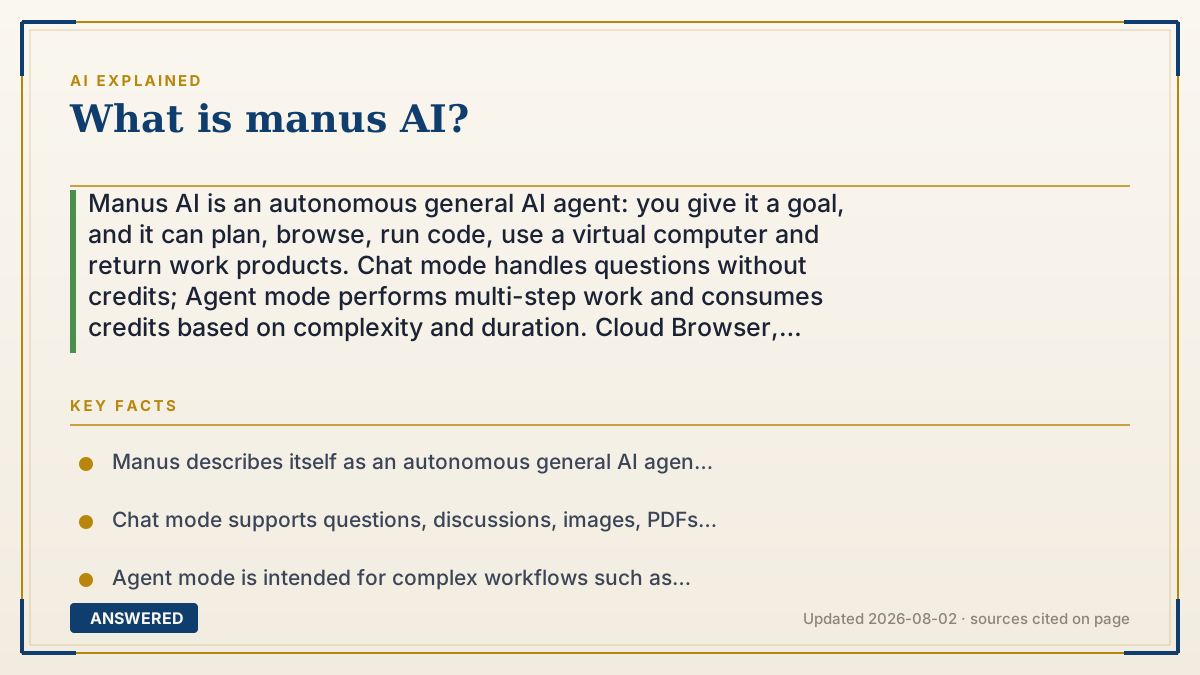
Manus AI is an autonomous general AI agent: you give it a goal, and it can plan, browse, run code, use a virtual computer and return work products. Chat mode handles questions without credits; Agent mode performs multi-step work and consumes credits based on complexity and duration. Cloud Browser, Browser Operator and My Computer have different permissions, so review logins, side effects, outputs and plan limits before granting real access.
Why — the first-principles explanation
The useful distinction is not “smart chatbot versus dumb chatbot”; it is answer versus execution. A normal chat loop ends when the model writes a response. Manus Agent mode is designed to take a goal, break it into steps, operate tools, observe results, recover from errors and deliver an artifact. Official documentation describes a sandboxed virtual computer with internet access, a file system and the ability to install tools. That lets it browse, run code, create documents, build sites or assemble a report while you are not clicking each intermediate step.
Manus has multiple execution surfaces, and they are not interchangeable. Chat mode is the lightweight answer/discussion path; the Help Center says it can recognize images, PDFs and text files, search online and does not consume credits. Agent mode is for complex autonomous workflows and consumes credits. Cloud Browser runs in an isolated cloud environment and can visit sites, fill forms and use accounts you log into there. Browser Operator controls a local Chrome or Edge session with your existing logins after you authorize the session. Desktop “My Computer” can work with specifically authorized local folders, applications and command-line tools. The right surface depends on whether the task is public research, an authenticated account or local files.
Autonomy changes the risk profile. A browser agent can send a message, edit a CRM record, publish a post or submit a form, not merely recommend those actions. Manus documents Take Over for CAPTCHA, SMS and multi-factor verification, and its Browser Operator docs say you can watch the task, authorize a session and stop it by closing the dedicated tab. Treat those controls as guardrails, not proof that every action is correct. Use a least-privilege account, stage irreversible actions as drafts, inspect the activity log and require human approval for money, access, deletion or public publishing.
The economic unit is a task credit, not a message. Manus says Agent-mode cost depends on complexity and duration and can reflect model tokens, virtual-machine work and third-party APIs; monthly plan credits reset and unused monthly credits do not roll over. The current Help Center describes a $0 Free tier, a Pro tier starting around $20/month, a higher Pro tier around $40/month and Team from around $20/seat, but it also says the actual pricing page controls. Free is described as Chat plus Manus 1.6 Lite in Agent mode, while paid tiers unlock more agent variants and credits. Building a website and running it can be two different bills: Manus documents separate usage-based WebDev charges for hosting, AI features and API calls.
So Manus is best understood as an execution layer around language models and tools, not a guarantee of autonomous completion. Start with a reversible task, estimate the credit cost, define a success check and only then grant access to a real account or local folder. Current features, model names, ownership/branding, prices and regional availability can change; the official docs and live checkout are the source of truth.
An example that makes it click
Ask a chatbot, “Find ten competitors and put their prices in a spreadsheet,” and it may give you a research plan or a list of links. Give the same goal to Manus Agent mode and it can open a browser, visit each site, extract fields, write a spreadsheet, retry a failed page and return the file. That is useful execution, but it also creates failure points: a stale price, a blocked site, a wrong column or a spreadsheet shared too widely. A safe run starts with public pages, a small sample and a review column—not an instruction to publish the result automatically.
How to do it
- Classify the task: use Chat mode for an answer or discussion, and Agent mode only when Manus must plan, browse, code, or produce a multi-step artifact.
- Define the deliverable and acceptance checks before starting: required fields, source date, file format, test cases and what the agent must not change.
- Choose the least-powerful environment that works. Use Cloud Browser for public research, Browser Operator for an already-authenticated local browser, and My Computer only for explicitly authorized local folders or tools.
- Start with a reversible, low-risk sample. Ask Manus to save drafts, cite sources and stop before sending, buying, deleting, publishing or changing permissions.
- Watch the task and handle CAPTCHA, SMS or MFA through Take Over yourself. Never paste a password or API key into a prompt, and do not grant broad account access just to save setup time.
- Review the transcript, files, code, citations and activity log. Test links, formulas, permissions and side effects before calling the work complete.
- Check the credit estimate and usage dashboard. Agent tasks consume credits based on work performed; monthly credits reset, and deployed WebDev apps can have separate usage charges.
- Only upgrade when a measured limit blocks the workflow. Compare the current Free, Pro and Team pricing pages, retention/privacy terms and cancellation rules for your location before subscribing.
Key facts
- Manus describes itself as an autonomous general AI agent that plans, executes and delivers work products in a sandbox with internet access, a file system and installable tools.
- Chat mode supports questions, discussions, images, PDFs, text files and online search; Manus says conversations in Chat mode do not consume credits.
- Agent mode is intended for complex workflows such as websites, slides and videos, and consumes credits because it performs multi-step work.
- The Help Center currently says Free users can use Chat mode and Manus 1.6 Lite in Agent mode, while Pro users can access Manus 1.6, 1.6 Max and 1.6 Lite; model availability can change.
- Manus credits are tied to task work rather than a simple message count; the documented drivers include task complexity/duration, model tokens, virtual-machine work and third-party APIs.
- The current membership help article lists Free at $0/month, Pro starting from $20/month, a higher Pro option starting from $40/month and Team starting from $20/seat/month; it directs users to the live pricing page for the final offer.
- Manus documents monthly credit refreshes and says unused monthly credits do not roll over; purchased/add-on and free credits can follow different rules, so read the current credit policy.
- Cloud Browser is an isolated cloud environment that can browse, log into accounts, fill forms and perform multi-step workflows; data-center IPs may trigger CAPTCHAs or extra verification.
- Browser Operator uses an authorized local Chrome or Edge session and existing logins; the docs say actions are visible/logged and the user can stop the session by closing the task tab.
- Desktop My Computer can access only folders the user authorizes and can work with local command-line tools; local access is different from Cloud Browser access.
- Manus documents separate WebDev usage-based billing for hosting, databases, AI features and API calls after an application is deployed; the subscription credit pool is not automatically the whole production cost.
Decide whether you need a chatbot or an agent
Separate free Chat mode from credit-consuming Agent mode, then check browser access, local permissions, side effects and plan economics before handing Manus a real workflow.
▶ The 60-second explainer (script)
What is Manus AI? It is an AI agent built to execute a goal, not just reply with text. You describe an outcome, and Manus can plan steps, open a browser, run code, create files, recover from an error and return a work product. Its documentation describes a sandboxed virtual computer with internet access, a file system and tools. There are two modes to keep straight. Chat mode is for answers, discussion, images, PDFs and search, and Manus says it does not consume credits. Agent mode is for multi-step work such as research, websites, slides or videos, and it consumes credits based on the work it performs. There are also different permission surfaces. Cloud Browser runs in an isolated cloud session. Browser Operator can use your local Chrome or Edge logins after you authorize it. Desktop My Computer can work with folders you explicitly connect. A browser agent can do more than recommend: it may fill a form, edit a CRM or publish something. Watch the task, use Take Over for MFA, stage changes as drafts and stop before irreversible actions. The practical buying question is not “is Manus autonomous?” It is “what task, environment, credit budget and approval check do I need?” Start with a reversible sample, verify the output and check the current pricing and any separate WebDev usage charges before rolling it out.
What authoritative sources say
People also ask
What is Manus AI in simple terms?
Manus is an AI agent that can plan and execute multi-step work in a virtual computer, browser and file environment, then return a result. It is more action-oriented than a chat-only assistant, but its output still needs review.
Is Manus AI a chatbot?
It includes a Chat mode for ordinary answers and discussions, but its Agent mode is designed to take actions, use tools and produce artifacts. The two modes have different credit and risk profiles.
What is the difference between Manus Chat mode and Agent mode?
Chat mode handles questions, files and web search without consuming credits according to Manus's Help Center. Agent mode autonomously plans complex tasks such as building sites or slides and consumes credits while it works.
Is Manus AI free?
Manus lists a $0 Free plan. The current Help Center says Free includes Chat mode and Manus 1.6 Lite in Agent mode with limited refresh credits; Pro and Team add more capacity and features. Check the live pricing page because plans change.
How does Manus charge for use?
Agent work uses credits based on the task's complexity and duration rather than a simple message count. Monthly credits refresh and generally do not roll over; deployed WebDev applications can have separate usage-based hosting, AI and API charges.
Can Manus browse the web and log into accounts?
Cloud Browser can browse and use an account you log into its isolated session. Browser Operator can use an authorized local Chrome or Edge session. Use least-privilege accounts, monitor actions and expect CAPTCHA or MFA take-over prompts.
Can Manus access my local computer?
Yes, through the Desktop My Computer feature when you connect specific folders and authorize access. That local mode is different from the cloud sandbox; review folder scope and command approvals before granting access to sensitive files.
Can Manus build a website or app?
Agent mode can create websites and other work products. Manus documents a separate WebDev usage-based system for the cloud, databases, AI features and API calls used by a deployed app, so building and operating it may not be one flat subscription cost.
Is Manus AI fully autonomous and always accurate?
No. It can execute long workflows, but sites change, tools fail, permissions can be wrong and generated outputs can contain errors. Define acceptance checks, keep irreversible actions behind approval and verify the returned files, citations and side effects.
Is Manus safe for private accounts and data?
Manus documents isolated/encrypted browser sessions and user controls, but connecting an account gives an agent meaningful authority. Read the current Privacy Policy and Terms, use least privilege, review sessions and avoid handing it banking, production or sensitive data until your security review is complete.