What is the best AI for coding?
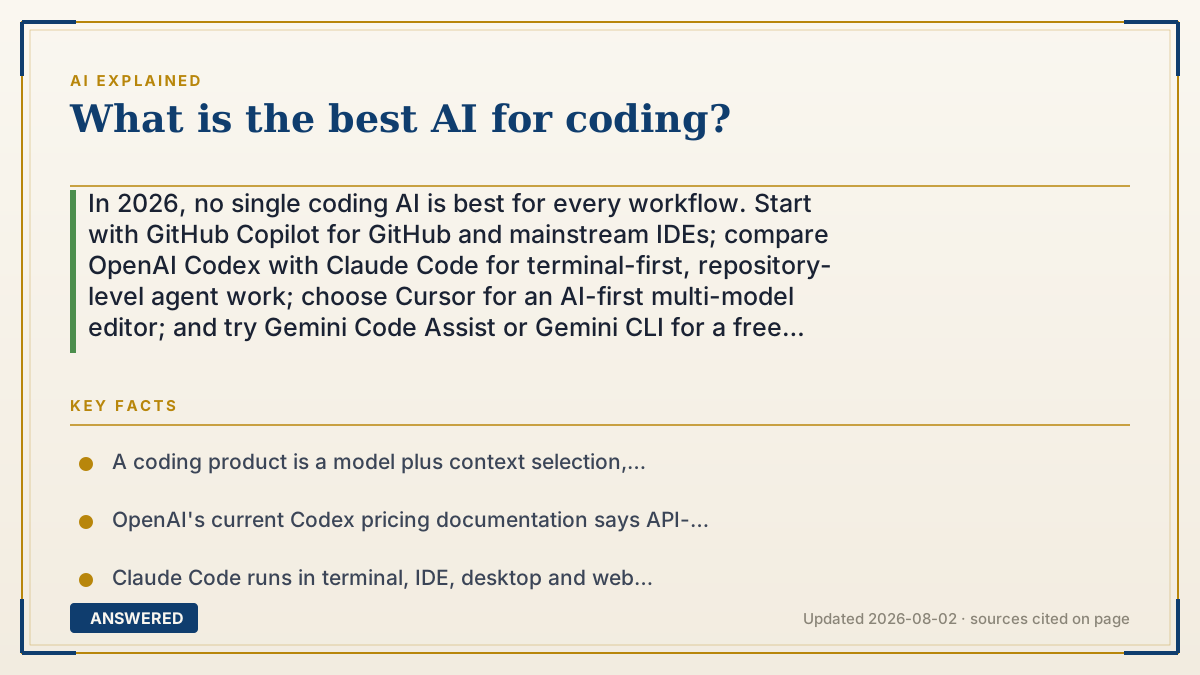
In 2026, no single coding AI is best for every workflow. Start with GitHub Copilot for GitHub and mainstream IDEs; compare OpenAI Codex with Claude Code for terminal-first, repository-level agent work; choose Cursor for an AI-first multi-model editor; and try Gemini Code Assist or Gemini CLI for a free starting point or Google Cloud workflow. Decide with the same real tasks, tests, data rules and total cost—not one benchmark.
Why — the first-principles explanation
The useful answer is a shortlist, not a permanent champion. For a GitHub-centered team that wants help inside a familiar IDE and a path from issue to pull request, start with GitHub Copilot. For terminal-first repository work, test OpenAI Codex and Claude Code on the same tasks. For an AI-first editor with a choice of model providers, test Cursor. For a free starting point or a Google Cloud-centered workflow, test Gemini Code Assist or the open-source Gemini CLI. These are starting hypotheses; your repository decides the winner.
The first distinction prevents most bad comparisons: a model is not a coding product. A model generates and reasons over text or code. A coding product adds repository search, context selection, instructions, file editing, terminal tools, permissions, checkpoints, test execution, cloud environments, pull-request integration and billing. GitHub Copilot and Cursor can expose multiple models. Claude Code and Codex are agent products, not merely chat windows. A higher score for one model in one harness does not prove that every product using it will complete your work better.
The five products also occupy different surfaces. OpenAI documents Codex across the web, CLI and IDE, with local and cloud workflows; authenticating with an API key supports the CLI, SDK and IDE extension but not cloud features such as GitHub code review or Slack integration. Anthropic documents Claude Code in the terminal, IDE extensions, desktop app and web. Its local CLI works through several authentication or model-provider routes, while some web, review, analytics and organization features depend on the Claude subscription and plan. Those access paths should not be treated as interchangeable.
GitHub makes a particularly important local-versus-cloud distinction. Copilot agent mode in an IDE edits the developer's local environment. Copilot cloud agent works independently in a GitHub Actions-powered environment, can research and change one GitHub repository, and can create a pull request. GitHub currently makes the cloud agent available on paid Copilot plans; its work consumes AI credits and can also use GitHub Actions minutes. This makes Copilot a natural first test when repository governance and review already live on GitHub, but it is not evidence that it will solve every coding task better.
Cursor is an editor and agent layer rather than one fixed model. Its Agent can search a codebase, edit files and run terminal commands, while checkpoints make changes reviewable and reversible. Cursor's current plans separate included usage across Cursor and third-party model pools, so the visible subscription price is not always the full cost of heavy agent work. Privacy Mode also matters: Cursor says code data is not used for training when it is enabled, but cloud agents, repository indexing, temporary caching and provider policies still have their own data paths. Read the exact settings and terms that apply to the workflow you intend to use.
Google similarly separates product surfaces. Gemini Code Assist provides IDE completion, chat and agentic work in Individual, Standard and Enterprise editions; Gemini CLI is an open-source terminal agent. Google states that CLI quota is shared with Code Assist agent mode, and the available quota depends on how the user authenticates. Standard and Enterprise add organizational data, security and Google Cloud capabilities. A generous free quota can make Gemini the easiest candidate to include in a trial, but quota size is not a quality score.
Once two or three candidates fit the workflow, use a same-repository bake-off. Freeze one commit and give every tool the same five representative tasks: fix a real bug, add a small feature, refactor a risky module without changing behavior, improve tests, and explain an unfamiliar failure. Give each tool the same permissions, time budget and access to documentation. Keep expected behavior or hidden tests outside the prompt so the tool must actually solve the task rather than repeat the answer.
Measure the result that can be accepted, not the amount of code produced. For each task record whether all tests and checks pass, the minutes a developer spends steering and reviewing, regressions or security findings, elapsed time, and subscription or metered usage. Then calculate cost per accepted change = allocated tool cost + usage cost + review labor, divided by changes that meet the acceptance criteria. A fast first draft that takes an hour to repair can lose to a slower, smaller patch. Run enough tasks to expose variance; one polished demo is not an evaluation.
Public benchmarks remain useful for screening. SWE-bench Verified, for example, is a human-filtered set of 500 software-engineering instances and its leaderboard reports the model together with the agent scaffold. That makes it evidence about a specific evaluated configuration on a specific task set—not a verdict on IDE usability, private-repository retrieval, permissions, latency, review experience or your total cost. Use a benchmark to decide what deserves a trial, then use repository evidence to decide what deserves a subscription.
Human review is not optional merely because adoption is high. Stack Overflow's 2025 survey reported that 84% of respondents used or planned to use AI tools, yet 46% distrusted their accuracy versus 33% who trusted it. Sixty-six percent cited solutions that were almost right, and 45% cited time-consuming debugging. Those figures do not rank vendors or prove a net productivity effect. They explain why tests, diffs and accountable review belong in the buying test.
Finally, do not confuse a terminal interface with local inference. A terminal agent can read files on your machine while sending selected context to a hosted model. Before exposing private code, check the exact account type, training policy, retention, model provider, repository indexing, cloud-agent storage, network access and administrator controls. For consequential systems, add secret scanning, dependency and license checks, security tests and a human who owns the merge decision. Plans, quotas, models and prices change; verify the vendor's current page immediately before paying.
An example that makes it click
Suppose a six-person team maintains a private TypeScript service in GitHub and works mainly in VS Code. That workflow makes Copilot an obvious first candidate, while Codex or Claude Code may be a useful second candidate for terminal-heavy repository work. The team freezes the same commit and prepares five tasks: repair an authentication race, add one validated endpoint, refactor a cache without changing behavior, expand failure-path tests, and explain a production stack trace.
Each candidate gets the same repository, instructions, permissions and 30-minute cap. The expected behavior and several tests remain hidden. Reviewers record passed checks, review and repair minutes, regressions, elapsed time and attributable usage cost. They reject any patch that passes the happy path but violates the hidden tests, exposes a secret or broadens scope without approval.
The team then divides subscription allocation, metered usage and reviewer labor by the number of accepted patches. This does not create a universal ranking. It answers the purchasing question that matters: which setup produces reviewable, merge-ready changes most economically in this repository and under this team's controls?
How to do it
- Define the workflow before naming a vendor: editor, terminal, repository host, languages, cloud requirements, data classification and who approves merges.
- Shortlist by product fit: Copilot for a GitHub-and-IDE workflow, Codex or Claude Code for terminal-first agent work, Cursor for an AI-first multi-model editor, and Gemini Code Assist or CLI for a free or Google Cloud starting point.
- Freeze one representative repository commit and give every candidate the same instructions, permissions, time budget and documentation access.
- Run five real tasks: a bug fix, a small feature, a behavior-preserving refactor, a test improvement and an unfamiliar-code explanation or diagnosis.
- Use hidden tests and normal engineering gates; record passed checks, human steering and review time, regressions, security findings, latency and attributable usage.
- Calculate total cost per accepted change, including subscription allocation, metered usage and review labor; reject output that is impressive but not merge-ready.
- Pilot the leading option for a normal work cycle, verify the current plan and data terms before payment, and repeat the bake-off when the workflow or product materially changes.
Key facts
- A coding product is a model plus context selection, repository tools, permissions, execution, review surfaces and billing; model benchmark rank alone does not rank the whole product.
- OpenAI's current Codex pricing documentation says API-key access supports the CLI, SDK and IDE extension but does not include cloud features such as GitHub code review or Slack integration.
- Claude Code runs in terminal, IDE, desktop and web surfaces, while some features vary by authentication provider and subscription plan.
- GitHub distinguishes local IDE agent mode from Copilot cloud agent, which works in a GitHub Actions-powered environment and is currently available on paid Copilot plans.
- Cursor Agent can search code, edit files and run terminal commands, and Cursor supports both its own model pool and third-party model providers rather than being one model.
- Gemini CLI is an open-source terminal agent; its quota depends on authentication and is shared with Gemini Code Assist agent mode.
- SWE-bench Verified is a human-filtered set of 500 instances, and its leaderboard identifies both the model and agent scaffold used for an evaluation.
- Stack Overflow's 2025 survey reported 46% distrust versus 33% trust in AI-tool accuracy; its adoption and frustration figures do not establish which vendor is best.
Choose a coding assistant by workflow, not a universal rank
Shortlist the products that fit your editor, repository host, data policy and budget. Run the same real tasks with the same tests, then keep the option with the lowest total cost per accepted change.
▶ The 60-second explainer (script)
What is the best AI for coding in 2026? Start with your workflow, not a permanent leaderboard. If your work already lives in GitHub and a mainstream IDE, GitHub Copilot is the obvious first trial. If you want a terminal agent working across a repository, compare OpenAI Codex with Claude Code. If you want an AI-first editor that can use different model providers, try Cursor. If a free starting point or Google Cloud integration matters, include Gemini Code Assist or Gemini CLI. Here is the part most rankings miss: a model is not the product. The product decides which files become context, which commands the agent may run, how changes are reviewed, whether work happens locally or in a cloud environment, and how usage is billed. A benchmark for one model and agent scaffold cannot measure all of that. So run a five-task test on the same repository commit: one real bug, one small feature, one refactor, one test improvement and one diagnosis. Give every candidate the same permissions and time. Keep some tests hidden. Record passing checks, review and repair minutes, regressions, latency and actual cost. Then calculate cost per accepted change, including human review. And check the exact data path. A tool running in your terminal may still send repository context to a hosted model. Verify the plan, training policy, retention, model provider, cloud-agent storage and network permissions before using private code. The best coding AI is the one that repeatedly produces safe, reviewable, merge-ready changes in your workflow—not the one with the loudest headline.
What authoritative sources say
People also ask
Which coding AI is best for beginners?
Start inside the editor and repository workflow you already understand. GitHub Copilot is a natural trial for GitHub and mainstream IDE users, while Gemini Code Assist offers a free starting path. Use small tasks, inspect every diff and learn to run the tests yourself; the easiest interface is not permission to skip fundamentals.
Is ChatGPT or Claude better for coding?
For repository work, compare the coding products—OpenAI Codex and Claude Code—rather than judging only their general chat interfaces. Run the same bug, feature and refactor tasks with the same repository, permissions and tests. The better option is the one that yields more accepted changes with less review and repair effort in your workflow.
What is the best free AI for coding?
Current limited or free entry points include Codex Free, GitHub Copilot Free, Gemini Code Assist for individuals and Cursor Hobby. Their models, quotas and included agent features differ and can change. Start with the option that fits your editor, then check its live plan page before assuming a particular model or amount of usage is included.
Is Cursor better than GitHub Copilot?
Cursor is an AI-first editor with an integrated agent and multiple model providers. Copilot spans mainstream IDEs and GitHub, including a distinct cloud agent and pull-request workflow on paid plans. Cursor may fit someone willing to change editors; Copilot may fit a team standardized on GitHub and existing IDEs. Test both rather than treating the product designs as one linear ranking.
Can SWE-bench tell me which coding AI to buy?
It can help identify capable evaluated configurations, but it cannot make the purchase decision. A leaderboard result belongs to a model, agent scaffold, task set and date. It does not measure your private repository context, permissions, IDE friction, review time, data policy or total cost, so follow it with a same-repository trial.
Does a terminal coding agent keep my code on my computer?
Not necessarily. The command-line program can run locally while selected files, prompts and tool results are sent to a hosted model. Check the exact plan, provider, training and retention policy, repository indexing, cloud-agent storage, telemetry and network controls. Use an approved environment or a fully controlled local stack when policy requires no third-party processing.
Does AI coding actually make developers faster?
It can reduce drafting and search time, but speed depends on task fit and the cost of catching almost-right code. Measure accepted changes, developer steering and review minutes, regressions, latency and spend over real work. Usage rates or a fast demo do not prove a net productivity gain for your team.
The same question, asked other ways
- Which AI is best for coding?
- What AI is best for coding?