What is AI mode?
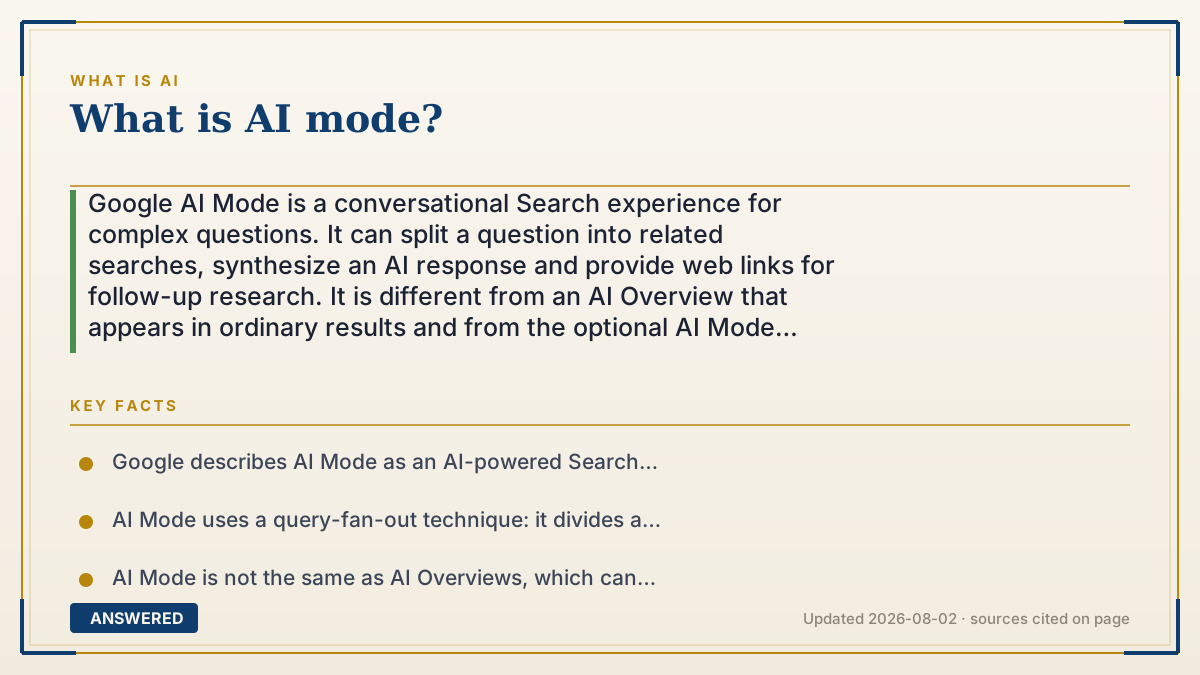
Google AI Mode is a conversational Search experience for complex questions. It can split a question into related searches, synthesize an AI response and provide web links for follow-up research. It is different from an AI Overview that appears in ordinary results and from the optional AI Mode experiment in Search Labs. Availability, history, personalization, age, account and region settings can change what you see.
Why — the first-principles explanation
Classic Search mainly returns documents for you to compare. AI Mode adds a reasoning-and-conversation layer: you ask a multi-part question, Google searches related subtopics at the same time, and the system assembles a response with links. Google calls this query fan-out. The result is useful for exploration and comparisons, but it remains a generated answer that can misinterpret a source or miss context. AI Mode is not a separate chatbot with a universal feature set. It is a Search surface connected to Google’s web index and, when enabled, account history and personalization. AI Mode in Search Labs is an experiment for earlier capabilities; standard AI Mode is the Search experience Google documents separately. AI Overviews are another surface: they can appear in an ordinary result page and may offer a path into a deeper AI Mode conversation. A user can therefore see an AI Overview without intentionally opening AI Mode, or enter AI Mode without joining the same Labs experiment. Account type, age, device, language, country, Workspace administrator settings, rollout status and subscription can affect access to features such as history, personalization, model choices or connected Google content apps. Treat the links as the starting evidence, verify important claims in more than one source, and manage Search Services History or Personalized Recommendations separately from simply choosing not to use the AI Mode interface.
An example that makes it click
Imagine asking, “Which commuter bike works for a rainy 10-mile route, a small apartment and a $1,500 budget?” Classic Search gives you pages to open and synthesize. AI Mode can break the request into weather, maintenance, storage, price and bike comparisons, then return a conversational answer with links. That saves research time, but the summary can omit a constraint or misread a product page. Use it to map the research, then open the cited pages before spending money or relying on safety, legal or medical information.
How to do it
- Open Google Search and use the AI Mode option or AI Mode page when it is offered for your account. The Google Help page documents current access paths; labels and availability can change.
- If you want early or experimental features, review Search Labs and the separate AI Mode experiment. Joining or leaving Labs is not the same as changing every AI feature in Search.
- Ask a complete question with constraints, context and the decision you are trying to make. AI Mode is designed for complex, multi-part exploration rather than a single keyword.
- Use text, voice, an image or a PDF when the current interface offers that input. Do not upload confidential documents unless you understand the account and data settings that apply.
- Ask follow-up questions to refine the same topic, and inspect the web links attached to the answer. For important claims, compare more than one source and ordinary Search results.
- Distinguish the surface you are using: an AI Overview in a normal results page, standard AI Mode, or the AI Mode experiment in Search Labs. Their controls and availability are not interchangeable.
- Review Search Services History and Personalized Recommendations if you want to control saved Search activity, personalization or AI-related history. These are account data controls, not a universal AI Mode off switch.
- If you connect Workspace apps, Google Photos or other content apps to Search services, read the consent scope first. Disconnect connected apps separately when you no longer want that personal context used.
- If the response looks wrong, ask a differently worded question, open the source links and submit feedback. Do not treat a fluent answer as proof, especially for money, health, legal or safety decisions.
Key facts
- Google describes AI Mode as an AI-powered Search experience with follow-up questions and web links for deeper research.
- AI Mode uses a query-fan-out technique: it divides a question into subtopics and searches for them simultaneously across multiple sources.
- AI Mode is not the same as AI Overviews, which can appear in ordinary Search results; an Overview can sometimes lead into a deeper AI Mode conversation.
- The AI Mode experiment in Search Labs is an opt-in testbed and has its own eligibility and availability rules.
- AI Mode can accept text, voice and, where the interface supports it, images or PDFs; the exact input options may change by surface and account.
- Google warns that AI Mode can make mistakes, misinterpret web content or miss context; links and independent checks remain important.
- AI Mode history and Search Services History are account data controls, and deleting one history view may not instantly remove every related activity entry.
- Personalized responses can depend on Search Services History and Personalized Recommendations; connected Google content apps add a separate consent scope.
- Workspace administrators, supervised accounts, age, language, region, device and gradual rollout can affect access and settings.
- A Web filter is a text-link result view for a search, not a permanent account-wide replacement for every AI feature.
Choose the right Google AI surface
Separate AI Mode, AI Overviews, Labs experiments and account data controls before deciding how to use, hide or compare Google’s AI Search features.
▶ The 60-second explainer (script)
What is Google AI Mode? It is Google Search with a conversational layer for complex questions. You ask a multi-part question, Google splits it into related subtopics, searches them at the same time, and returns an AI response with links. Google calls that query fan-out. It is not the same as an AI Overview, which can appear above ordinary Search results, and it is not identical to the AI Mode experiment in Search Labs. You can ask follow-ups and, where available, use text, voice, images or PDFs. The important limit is that the answer can misread a page or miss context, so open the source links and verify anything important. AI Mode may also use Search history, personalization or connected Google content when those settings are enabled. Manage those account controls separately from simply avoiding the AI Mode screen. Availability depends on account, age, device, language, region, administrator policy and rollout. Think of AI Mode as a research assistant that builds a map of sources—not as a final authority.
What authoritative sources say
People also ask
What is Google AI Mode in Search?
It is a conversational Search experience for complex questions. Google can fan a question out into related searches, synthesize a response and provide links for follow-up research.
What is the difference between AI Mode and AI Overviews?
AI Overviews can appear in an ordinary Search results page. AI Mode is a separate conversational surface you enter for deeper questions and follow-ups; supported results can connect the two surfaces.
Is AI Mode the same as Search Labs?
No. Search Labs is Google’s testbed for experiments, including an AI Mode experiment. Standard AI Mode and the Labs experiment can have different eligibility, features and controls.
How does AI Mode work?
Google says it uses query fan-out: it divides your question into subtopics, searches them across multiple sources and combines the results into an AI response with links.
Can I use voice, images or PDFs in AI Mode?
Google documents text, voice and image inputs, and its computer instructions also describe PDF uploads. The options shown can vary by device, account, region and product rollout.
Can Google AI Mode be wrong?
Yes. Google warns that AI Mode can misinterpret web content or miss context. Open the cited sources, compare other Search results and use feedback when an answer looks wrong.
Does AI Mode use my Search history?
History and personalization can improve continuity and tailored responses when enabled. Review Search Services History and Personalized Recommendations, and understand connected-app consent separately.
How do I get normal web links instead of AI results?
Use the Web filter after a Search query when it is available. Google says it shows text-based links, while filter names and order can change dynamically.
Is Google AI Mode free and available everywhere?
Do not assume universal access or one price. Google’s availability and model features vary by country, language, age, account, device, administrator settings and rollout; check the current Help page for your account.
How do I delete AI Mode history?
Use the AI Mode history controls or Google Search history controls documented in Google’s Help page. Deleting one view may leave related activity temporarily, so follow the separate deletion steps when you need broader removal.
The same question, asked other ways
- What is Google AI mode?