What is read.AI?
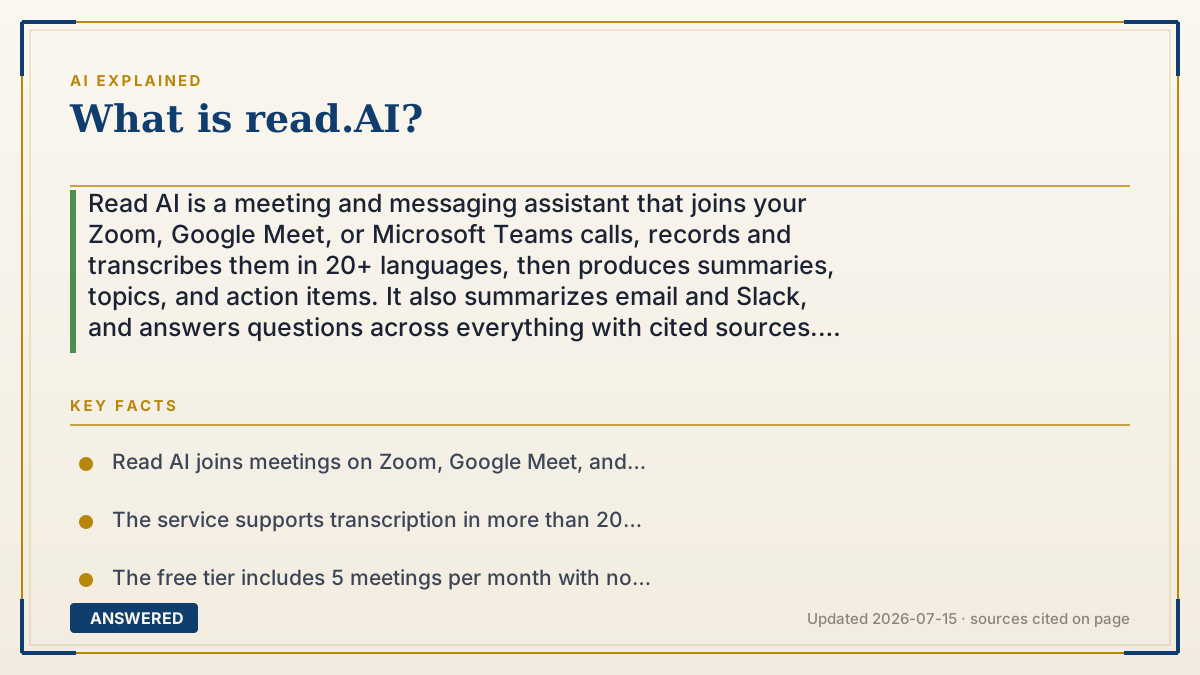
Read AI is a meeting and messaging assistant that joins your Zoom, Google Meet, or Microsoft Teams calls, records and transcribes them in 20+ languages, then produces summaries, topics, and action items. It also summarizes email and Slack, and answers questions across everything with cited sources. Free tier: 5 meetings per month as of 2026-07.
Why — the first-principles explanation
Read AI exists because meetings produce a huge amount of low-density information. A one-hour call might contain three decisions and five action items buried inside 9,000 spoken words. Humans are bad at capturing that in real time — you cannot listen well and write well at the same time. Speech-to-text models solved the transcription half years ago; large language models solved the compression half more recently. Read AI is what you get when you bolt those two together and point them at your calendar.
Mechanically, it works as a bot participant. When a meeting starts, Read's bot joins the call like an extra attendee, captures the audio stream, and runs it through automatic speech recognition. That produces a raw transcript with speaker labels. A language model then reads the transcript and extracts structure: what topics came up, who committed to what, what the tone was. Because the model sees the whole conversation at once — something no human participant can do — it can spot the action item mentioned in minute 7 and never repeated.
The more interesting design choice is that Read does not stop at meetings. It also connects to Gmail, Outlook, and Slack, plus business tools like Salesforce, HubSpot, Notion, Jira, and Asana. This matters because a decision rarely lives in one place: it gets floated in a call, confirmed in Slack, and executed in a ticket. By indexing all three, Read's "Ask Read" search can answer "what did we decide about the pricing change?" and point to the exact meeting and message where it happened. That is the real product — not notes, but a searchable memory of your work conversations.
The tradeoff is obvious and worth naming: to summarize your meetings, it has to record your meetings. Every participant's voice ends up on a vendor's servers. Many jurisdictions and companies require consent before recording, which is why the bot announces itself when it joins.
An example that makes it click
Think of Read AI as a court stenographer who is also a very fast editor. The stenographer sits in the corner and types every word — that is the transcript. But a raw transcript is nearly useless; nobody rereads 9,000 words to find one sentence. So the editor takes the transcript home, reads the whole thing, and comes back with a single index card: three bullet points of what was decided, two names with tasks next to them, and a note that the client sounded unhappy about the timeline.
Now imagine that same stenographer also sits in your inbox and your team chat, and keeps every index card in a filing cabinet you can talk to. You ask, "When did we promise the client the new date?" and it hands you the card plus the exact minute of the call where you said it. That is the whole idea.
Key facts
- Read AI joins meetings on Zoom, Google Meet, and Microsoft Teams as a bot participant and records, transcribes, and summarizes them (as of 2026-07).
- The service supports transcription in more than 20 languages.
- The free tier includes 5 meetings per month with no credit card required (as of 2026-07); paid plans add higher limits and enterprise search.
- Beyond meetings, Read AI connects to Gmail, Outlook, and Slack, and to business apps including Salesforce, HubSpot, Notion, Asana, Jira, and Confluence.
- The 'Ask Read' feature searches across meetings, emails, and messages and returns answers with citations showing where the information was discussed.
- The product is made by Read AI, Inc.
▶ The 60-second explainer (script)
Read AI is a meeting assistant that joins your calls, records them, and turns them into notes you'll actually use. Here's how it works. When your Zoom, Google Meet, or Teams call starts, a Read bot joins as a participant — you'll see it in the attendee list. It captures the audio and runs speech recognition to build a transcript with speaker labels. That transcript goes to a language model, which reads the entire conversation at once and pulls out the structure: the topics you covered, the decisions you made, and the action items with names attached. That's the part humans are bad at, because you can't listen carefully and take good notes at the same time. But Read doesn't stop at meetings. It also plugs into Gmail, Outlook, Slack, and tools like Salesforce, Notion, and Jira. That matters, because a real decision gets floated on a call, confirmed in chat, and executed in a ticket. Because Read indexes all three, you can ask it a plain question — like, what did we decide about pricing? — and it answers with a citation pointing to the exact meeting where you said it. The free tier gives you five meetings a month, as of July 2026. One honest caveat: to summarize your meetings, it has to record them. Everyone's voice goes to a vendor's servers, and in many places you need consent to record. That's why the bot announces itself when it joins.
What authoritative sources say
People also ask
Does Read AI record meetings without telling people?
No. Read joins as a visible bot participant, so it shows up in the attendee list like any other guest. Many jurisdictions and employers require consent before recording, so tell participants anyway.
Is Read AI free?
There is a free tier of 5 meetings per month with no credit card required, as of 2026-07. Higher meeting limits, email and message summaries, and enterprise search are on paid plans.
What is the difference between Read AI and a normal transcript?
A transcript is every word, which almost nobody rereads. Read runs a language model over the transcript to produce summaries, topics, and action items, and lets you search across meetings, email, and chat with citations.
Which meeting platforms does Read AI support?
Zoom, Google Meet, and Microsoft Teams are the main ones, as of 2026-07. It also connects to Gmail, Outlook, and Slack for email and message summaries.
Is Read AI the same as Otter or Fireflies?
They overlap heavily on meeting notes. Read's distinguishing pitch is going beyond calls — indexing email and messages too, so 'Ask Read' can answer questions that span all three.